
Proactive Engagement (available from SDK X 10.5.0 onwards) is an engagement campaign feature that serves as a bridge between the Helpshift Dashboard and your client application. This feature is designed to help you connect with your VIPs and the silent majority, the 97% of players who do not actively complain but may be at risk of churn or dissatisfaction.
By leveraging real-time User Hub properties (such as LTV, VIP Segments, spend tier, and last login) via the SDK, you can construct highly specific audience segments. This enables you to send highly personalized, relevant communications rather than relying on generic mass broadcasts.
Key Highlights
- Personalizing Message Content: Use Text Templates to dynamically insert standard user properties and emojis into your outbound communications.
- Segmented Audience Targeting: Define who receives your message by selecting one of three flexible targeting methods:
- User Properties: Configure filters based on real-time User Hub data to reach specific segments in your entire application.
- Issue Properties: Target exclusively users who have previously created support tickets.
- CSV Upload: Select a file containing specific User IDs to execute highly customized campaigns.
- Targeted Delivery Methods: Reach users via Push Messages to re-engage those who are not currently active on the app, or use In-App Messages (via Banners, Modals, Cards, and Images) to capture the attention of active users.
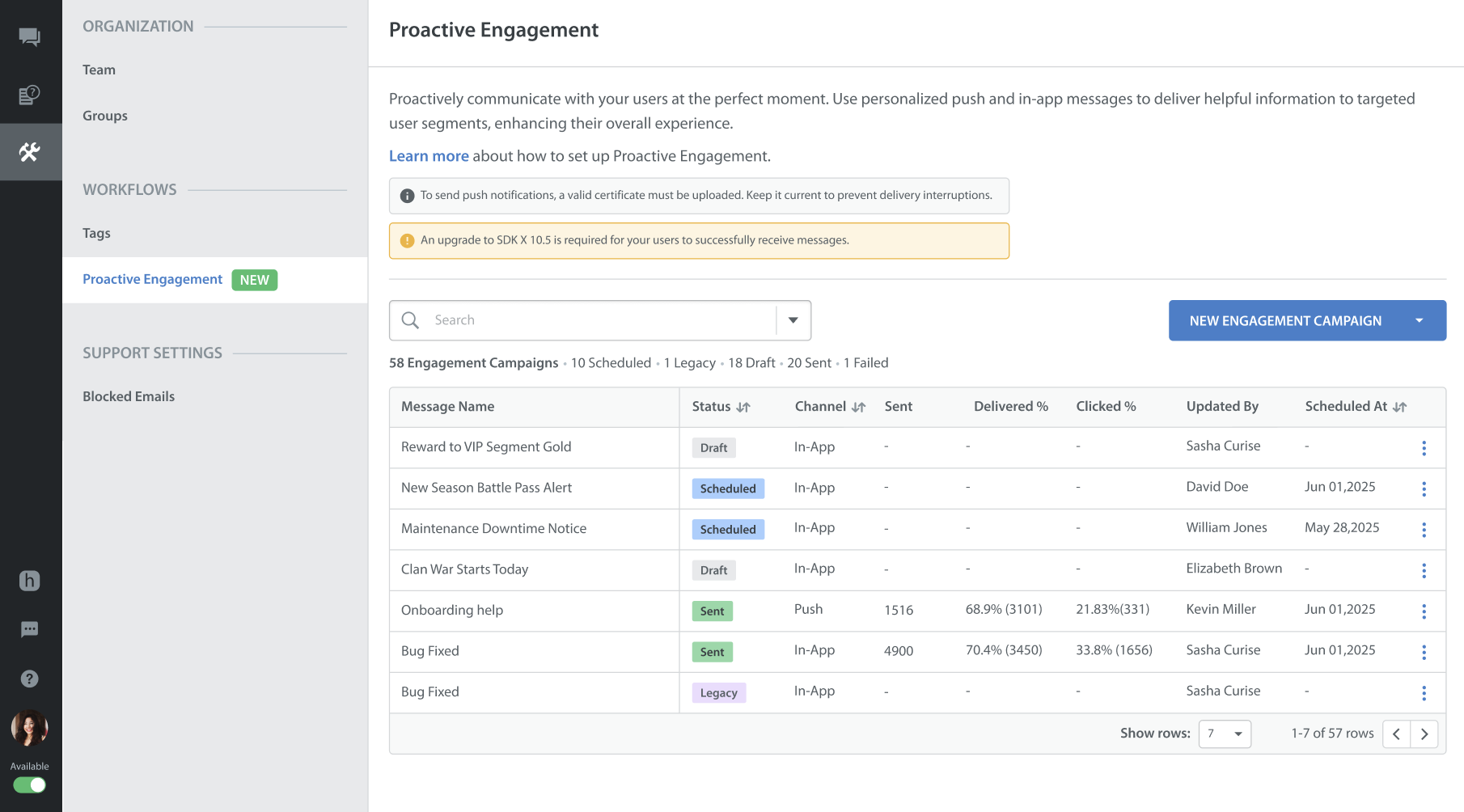
- Measuring Impact and ROI: Track your engagement campaign's impact in the Proactive Engagement page, which provides a high-level breakdown of total sent messages, successful delivery rates, and interaction rates, all filterable by platform.
- Contextual Agent Experience: Provide the campaign message context directly within the Agent Conversation.
Use Cases
The following table details the engagement strategies you can build using the Proactive Engagement Campaign to address user friction before it escalates.
| Engagement Strategy | Trigger (When to use) | Execution (How to send) | Business Value and Best Practices |
| Automated VIP Onboarding | The moment a player hits a high spend threshold. | Send a full-screen In-App Modal welcoming them to the VIP program. Include actionable buttons to "Explore VIP Benefits" (deep link) or "Chat with VIP Concierge". | Instant recognition deepens emotional connection at peak loyalty. |
| Churn Prevention for Top Spenders | A top spender goes silent for 7+ days. | Send a push message offering an exclusive reward to pull them back into the app. | Top spenders drive disproportionate revenue; a personalized nudge reactivates them before the gap becomes permanent churn. |
| Lapsed Payer / Lapsed VIP Recovery | High-value players lose interest or forget the game (e.g., inactive for 30+ days). | Send a Push Message offering an expiring reward. | Immediately recovers revenue before the player is permanently lost. |
| Game Issue / Bug Alerts | A known bug, crash, or outage occurs. | Send a Push Message and In-App Banner acknowledging the issue and providing a fixed timeline exclusively to the affected segment. | Silence during an outage erodes trust rapidly. Proactive alerts reduce frustration, prevent massive inbound ticket spikes, and lower the risk of uninstallation. |
| Stuck on Level / Boss / Puzzle | Repeated failures on a specific level. | Trigger a low-friction In-App Card/Modal offering a hint, a deep link to an FAQ guide, or an option to chat with a support agent. | Repeated failure leads to session abandonment; a timely nudge keeps the player in the game. |
| Support Experience (VIP Negative Survey) | A VIP user left a negative survey with actionable feedback to be addressed directly. | Send a focused In-App Modal/Push and initiate a high-touch human follow-up conversation directly with the player (e.g., creating a dedicated Outbound ticket for a VIP Agent). | Best Practice: Explicitly exclude VIPs from automated CSAT/Experience surveys. VIPs who have a bad support experience should instead receive a high-touch human follow-up. |
Related Articles
The following articles will help you learn more about managing and using this feature effectively: