
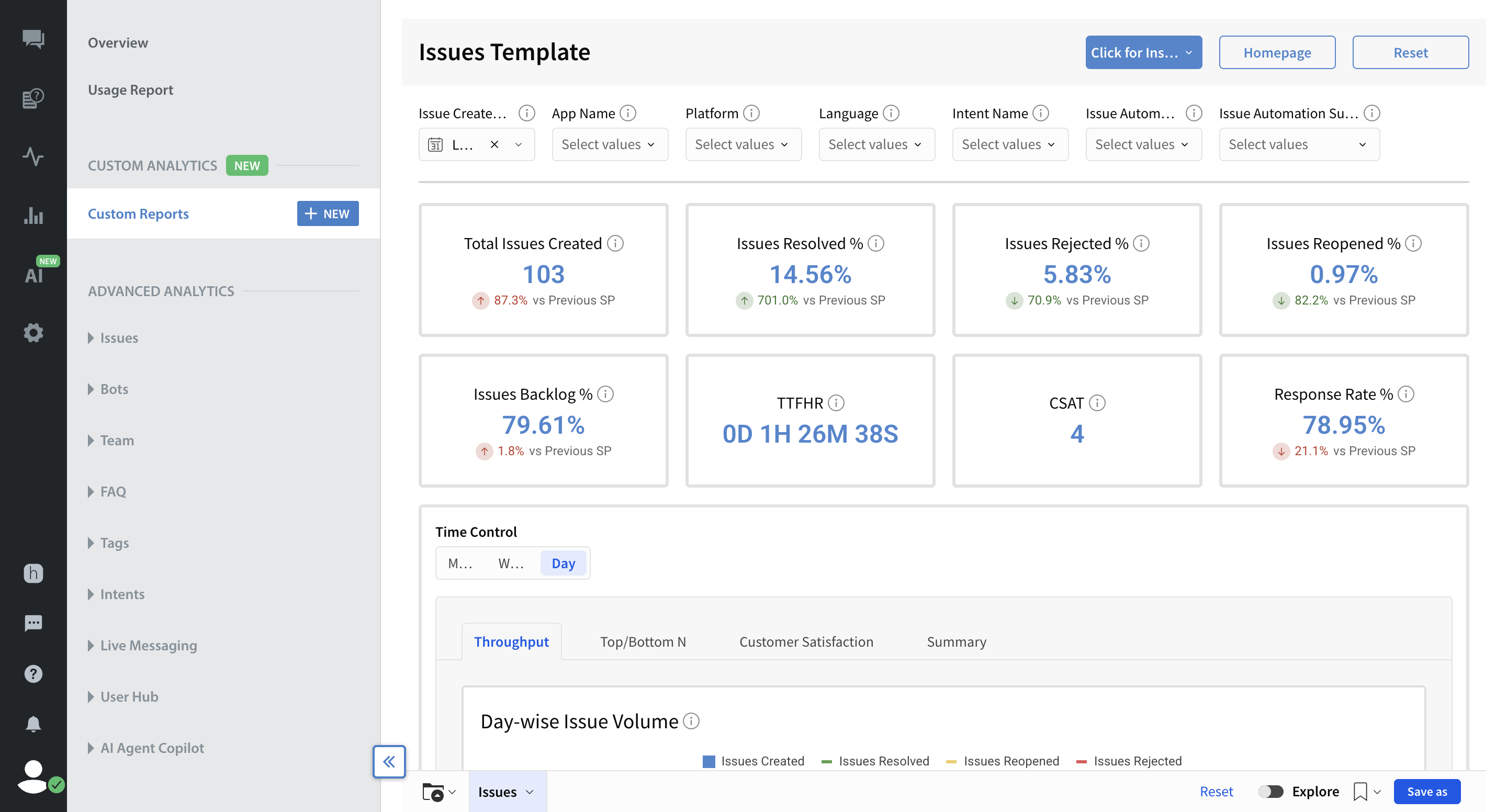
Custom Analytics empowers brands to create their own reports directly within the Helpshift dashboard. This dynamic, custom environment replaces static reporting and eliminates the need to download raw data or use external tools to answer specific business questions.
Note: Custom Analytics is only available to customers who have the feature enabled for their domain. Additionally, only Admins with a Designer license can create and edit reports, while those with a Viewer license have read-only access.
On our platform, this feature acts as a unified hub for all your reporting needs:
- It provides secure, direct access to all Helpshift datasets.
- It is easily accessed via the Custom Reports tab in the Analytics dashboard.
- It eliminates the need to use external tools to build and customize reports.
Why use Custom Analytics?
Custom Analytics delivers three main benefits:
- Total Flexibility: Instantly drag and drop data fields to build reports that answer your unique business questions without ever leaving the platform.
- Deep Customization: Break free from limited, pre-set dashboards to customize every visualization, metric, and filter to fit your specific workflows and reporting requirements.
- Complete Autonomy: Take full control of your data and create ad-hoc reports on demand.
Key Capabilities
Custom Analytics allows a highly data-driven culture by putting deep data exploration directly in your team's hands.
- Curated Pre-Set Templates: The 7 pre-set templates (including Apps, Teams, Issues, Bots, FAQs, Players, and Interactions) can be used, duplicated, and customized immediately without having to build reports from scratch.
- Simple Drag-and-Drop Canvas: Build reports effortlessly by dragging data fields onto a blank canvas.
- Comprehensive Data Combination: Seamlessly merge data from all available Helpshift datasets to address your specific needs.
- Embedded BI Hub: Utilize a complete, custom business intelligence tool directly inside your Helpshift dashboard without needing any third-party software.
Note: All data in Custom Analytics is displayed and refreshed in UTC time.
Related Articles
| Article Links | Article Description |
| Custom Analytics: Getting Started | A step-by-step guide to building, viewing, and configuring Custom Reports. Learn how to use pre-set templates and the Custom Canvas to connect data, build visualizations, and share insights. |
| Custom Analytics: Apps Template | Get a comprehensive view of your app’s performance by tracking user growth, engagement, platform usage, and issue trends. |
| Custom Analytics: Bots Template | Measure the effectiveness of your automated workflows by tracking bot invocations, successful step completions, and agent interruptions. |
| Custom Analytics: Issues Template | Analyze your overall support workload and team efficiency by monitoring core handling, holding, and response metrics. |
| Custom Analytics: Players Template | Gain deep insights into user segmentation by tracking issue volume and CSAT across custom tiers, such as VIPs (Note: Requires User Hub). |
| Custom Analytics: Teams Template | Monitor operational efficiency and service quality by tracking real-time agent availability and response speed. |
| Custom Analytics: Interactions Template | Analyze your messaging flow and support speed by tracking inbound and outbound interactions alongside customer satisfaction. |
| Custom Analytics: FAQs Template | Measure the success of your self-service strategies by monitoring specific knowledge base metrics, including FAQ views and overall deflection rates. |