
The information on Care AI Agent analytics is available under the Summary by AI Agents reports.
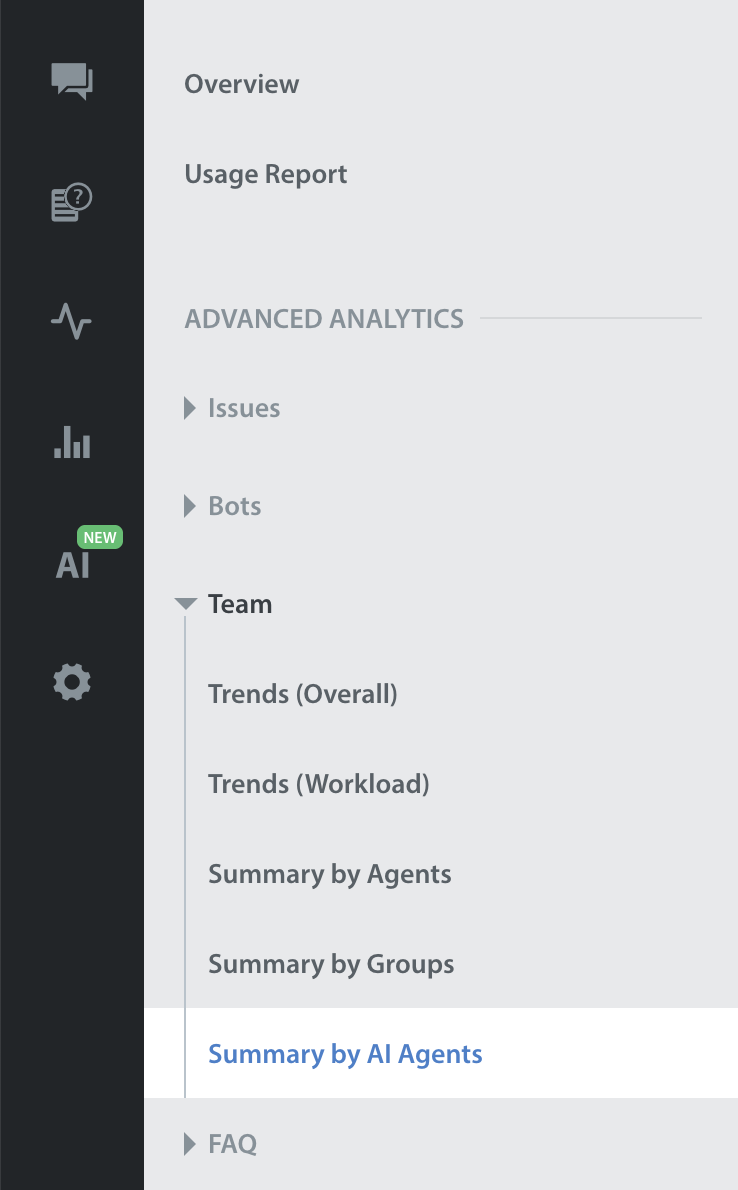
Note: The Default date range for the report will be 30 days; customers can change it using the filter.
Metrics in the Care AI Agent section can be reviewed across various filters, like:
- Date
- App
- Platform
- Language
- AI Agent
- Intent
Key metrics that can be explored within the Summary by AI Agents report in the Teams section are AI Agent Involvement Count, AI Agent Resolution Count, Time to Resolve Trend, and CSAT Trend.
Note: The Care AI Agent section is only available for customers who have enabled the Care AI Agent feature.
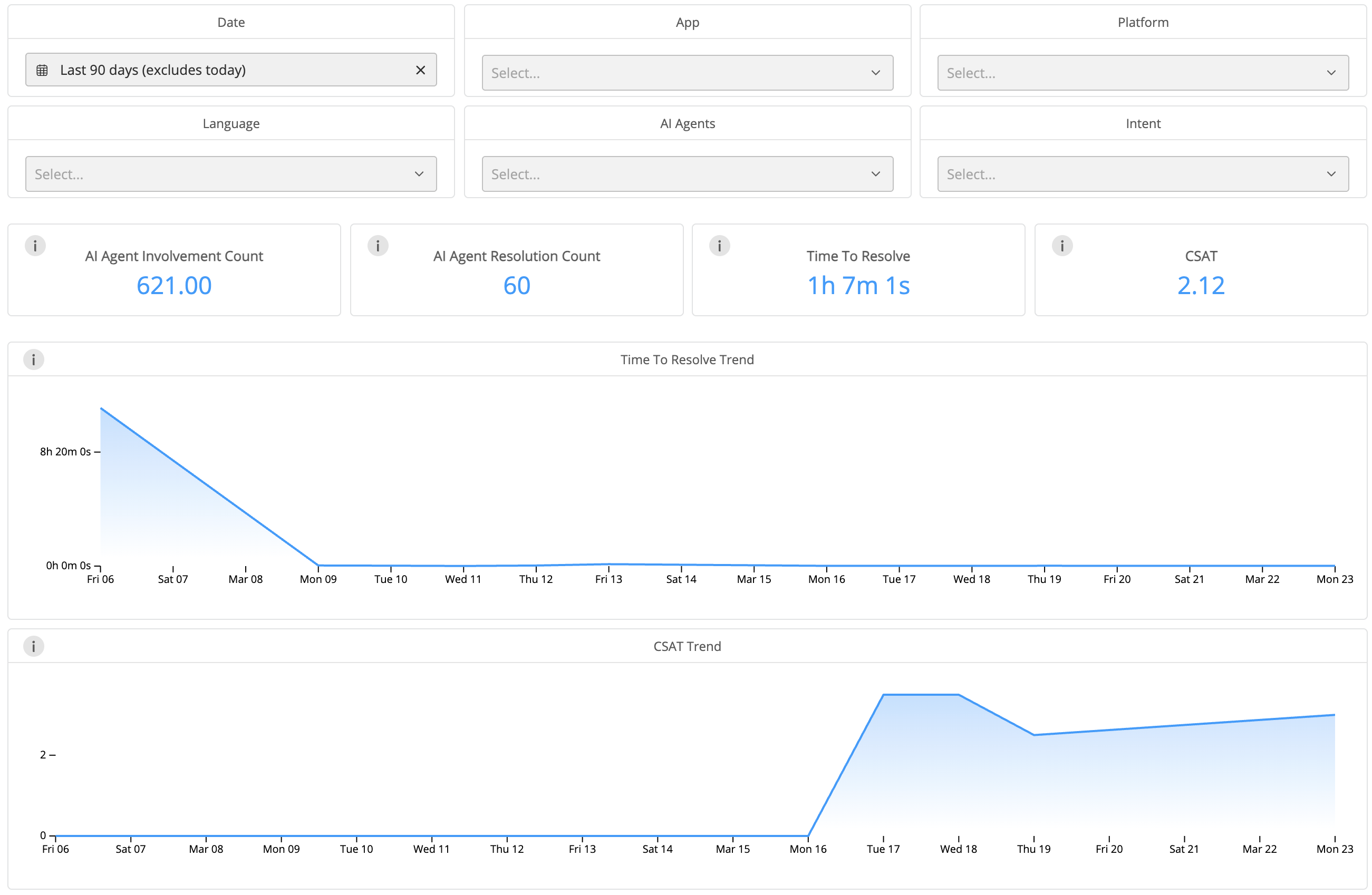
There is one new filter available in the Summary of AI Agent Analytics report as below:
| Filter | Description | Examples |
| AI Agent | If a customer has multiple Care AI Agents, the data report is filtered by each Care AI Agent's name. | Refund AI Agent, Game 1 AI Agent, etc. |
Detailed information on each metric can be found in Glossary. Additionally, two new metrics for the Summary of AI Agent analytics report have been introduced. Please refer to the table below for more details:
| Metric | What does it measure? | How do we calculate it? |
| AI Agent Involvement Count | No. of times when the Care AI Agent has at least 1 reply to issues | No. of Issues where the Care AI Agent was actively engaged (all issues with AI Agent replies >=1) Aggregated based on issue creation time |
| AI Agent Resolution Count | No. of times when the Care AI Agent was involved in resolving an issue, and no human agent replied to that issue ever | No. of Issues which were resolved by the Care AI Agent (Issues with AI Agent replies >=1 AND human replies =0) Aggregated based on issue creation time
|
The Automation table below provides clear visibility into which issues were fully automated, partially automated, and which were handled manually. Additionally, you can download data from each table in multiple formats by selecting the download option.
Note:
The Care AI Agent filter does not apply to this table.
This table excludes metrics with a value of zero and any issues labeled as 'Others'.

The information mentioned above is also available in table format. You can also download the data for every table in various formats by clicking on the download option.

For more details, please refer to the Care AI Agent page.
For more details, please refer to the Helpshift Analytics page.
For details of the definition for each metric, please refer to the Glossary page.