
Introduction
As part of our ongoing globalization efforts, the Helpshift Admin Dashboard now supports multiple languages, including English and Japanese. This update enables admins and support teams to navigate and manage the dashboard in either English or Japanese, making it easier to configure settings, access features, and handle daily workflows in their preferred language. By using Helpshift in English and Japanese, teams can work more efficiently, deliver faster responses, and provide more accurate support.
This enhancement demonstrates our commitment to delivering a localized and seamless experience for our global customer base.
| English | Japanese |
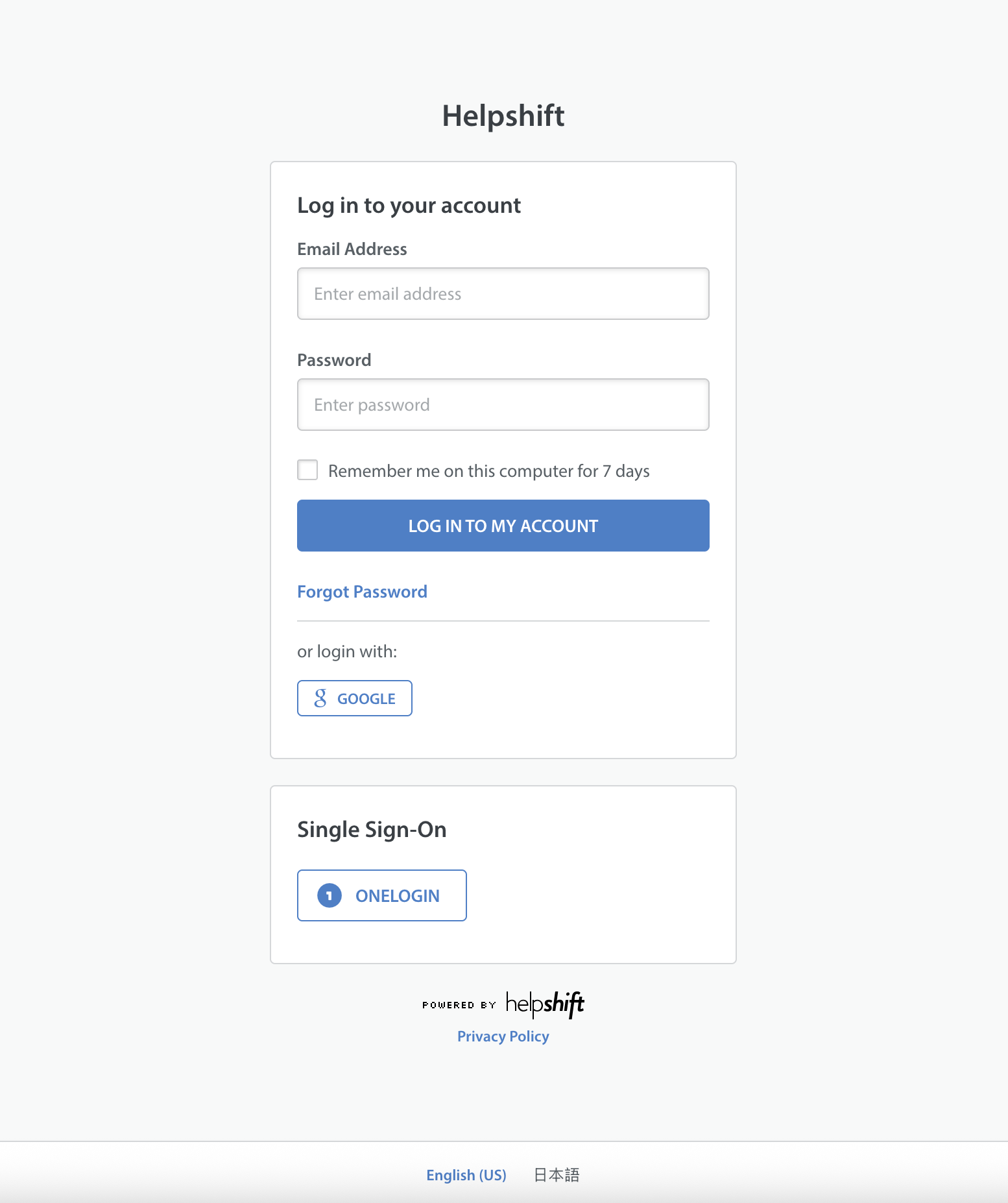 | 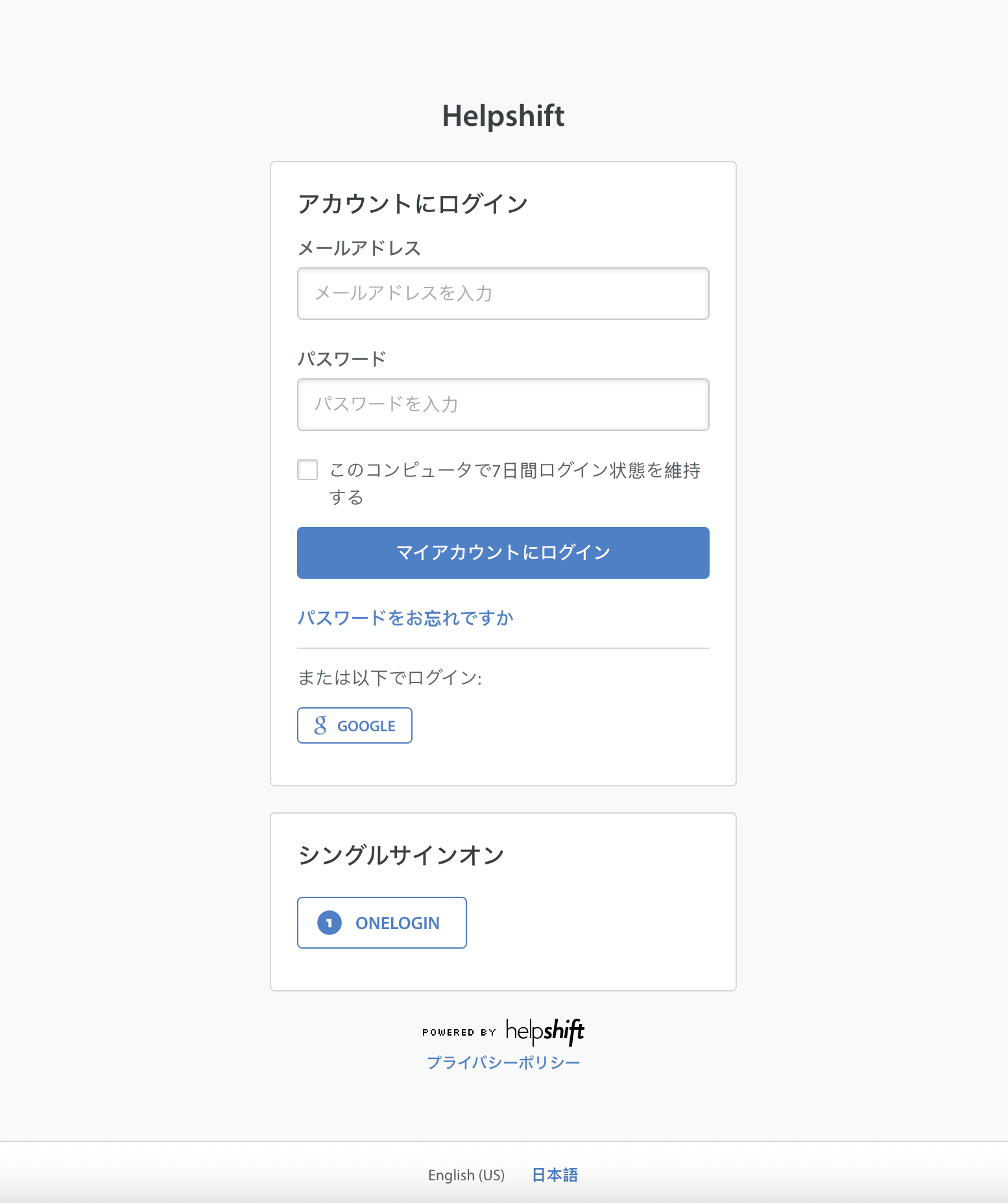 |
Helpshift language offering
The following table shows the localization status of Helpshift products:
| Area | Status |
| Sign-in / Sign-up | Fully Localized |
| Issues | Partially Localized |
| Real-Time Operations | Fully Localized |
| FAQs | Fully Localized |
| Analytics | Partially Localized |
| Helpshift AI | Fully Localized |
| Settings | Fully Localized |
| Account Settings | Fully Localized |
"Partially Localized" refers to a section that may contain some text in English. If you have any suggestions for improving the translation, we encourage you to reach out to Helpshift Support to share your feedback.
Please note that this article focuses specifically on the experience of Agents, Supervisors, and Admins, rather than the end-user experience.
What languages are supported in the Helpshift Dashboard?
We currently support the following languages:
- English
- Japanese
Changing your preferred language
You can customise the language in which you use the Helpshift app. You can choose the language you want without affecting other teammates.
Follow the steps given below to change your account language:
- From your profile, go to Account Settings & Privacy and choose your preferred language.
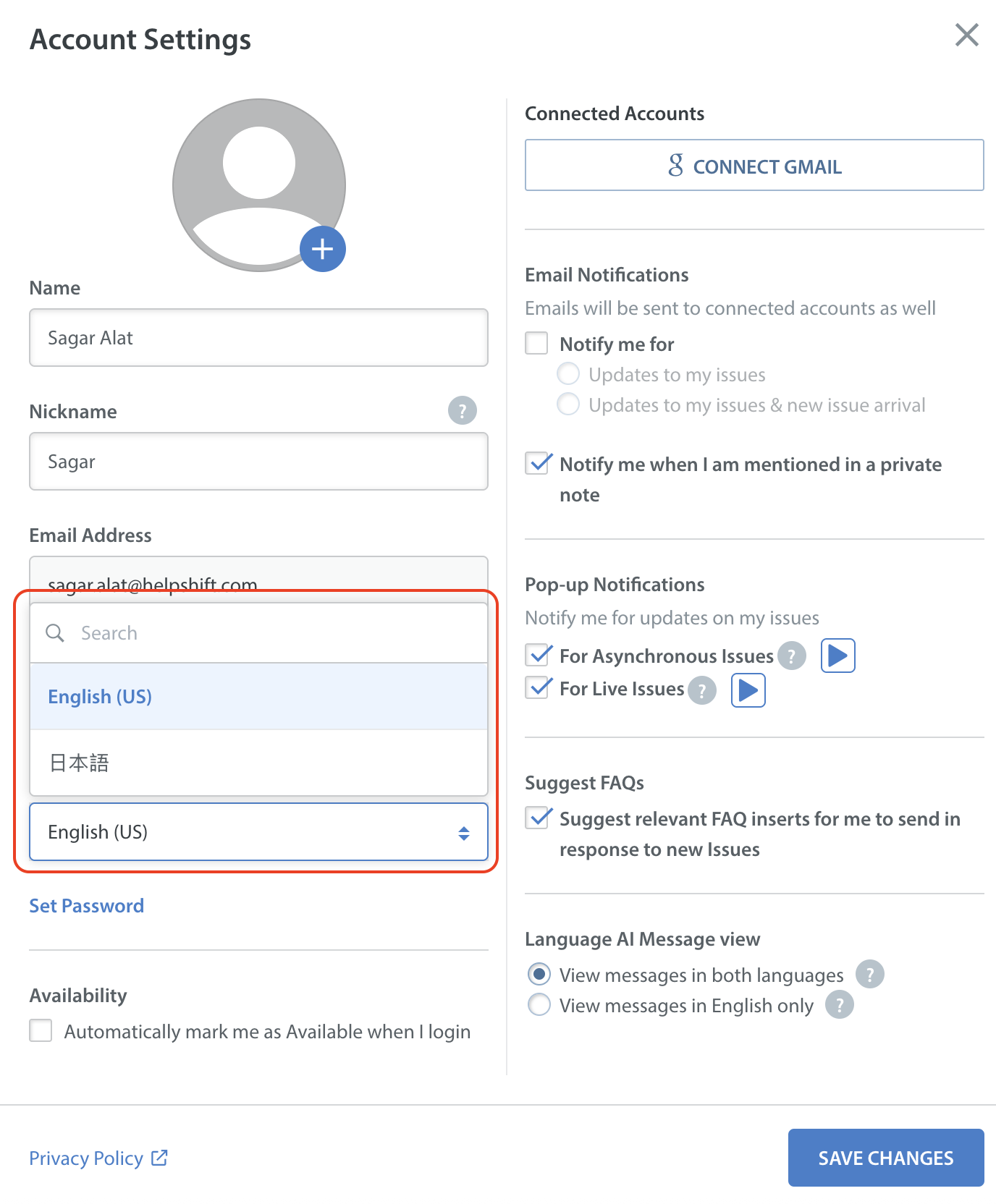
- Click SAVE CHANGES.