You can seamlessly integrate Care AI Agents into various parts of your Helpshift workflows to automate issue resolution and streamline your team's workload. Care AI Agents can be incorporated into your daily operations through Automations, Custom Bots, and directly via Issues.
Note: Care AI Agents are currently supported only on In-App, SDKs, and Web Chat platforms.
Adding Care AI Agents via Automations
The primary way to trigger Care AI Agents in your workflows is through New Issue Automations (NIAs). You can create new automations or edit existing ones to assign incoming conversations to a Care AI Agent.
To add a Care AI Agent via New Issue Automations, follow these steps:
- Navigate to Settings.
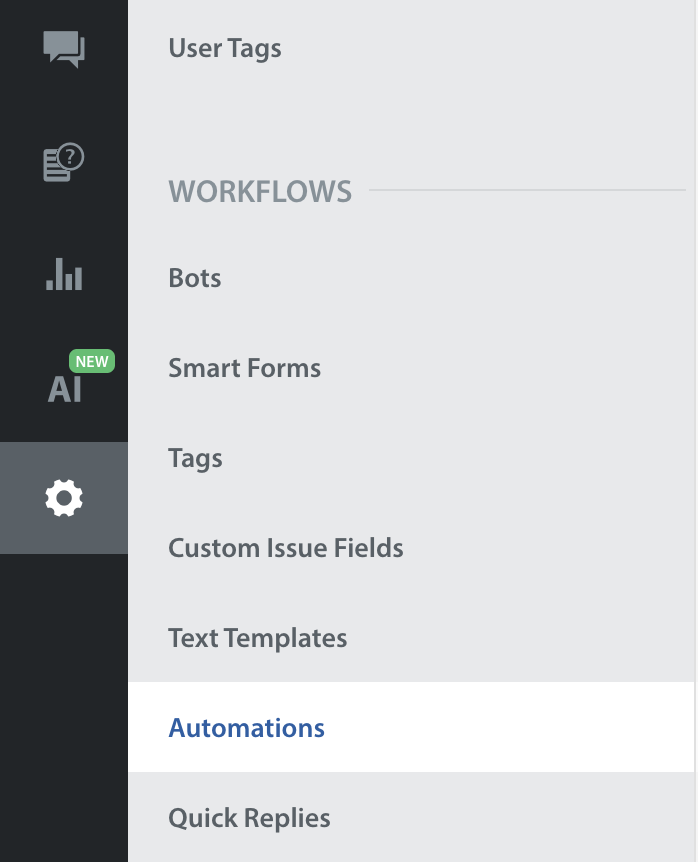
- Under WORKFLOWS, click Automations.
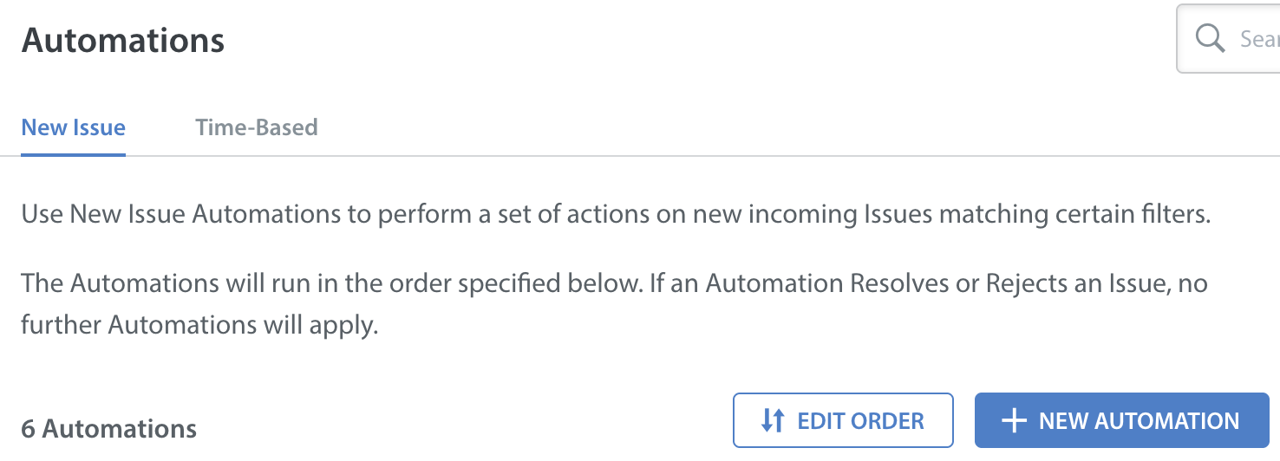
- Click New Automation (or edit an existing one) under the New Issue tab.
- Under the IF conditions, add the App condition.
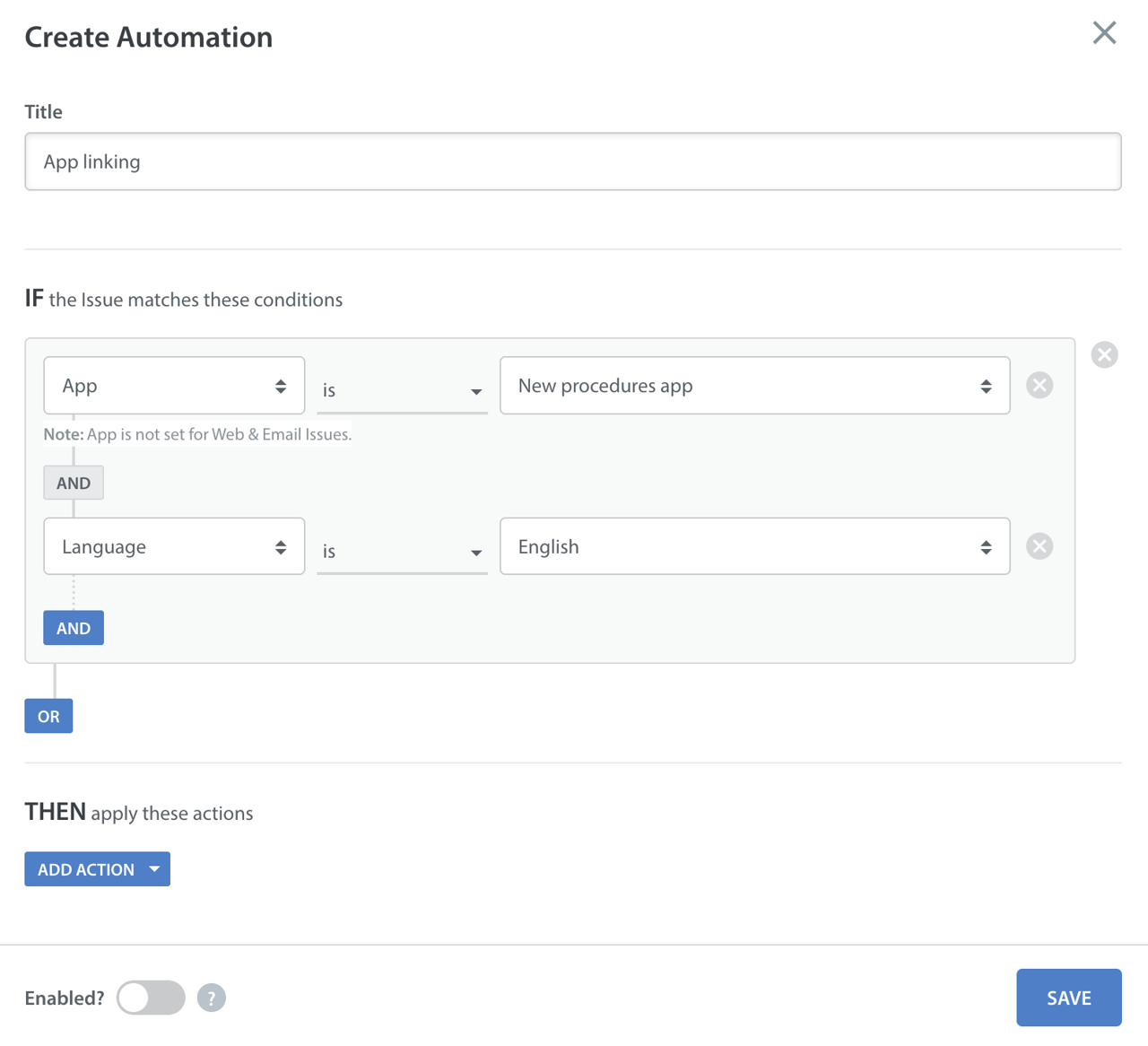
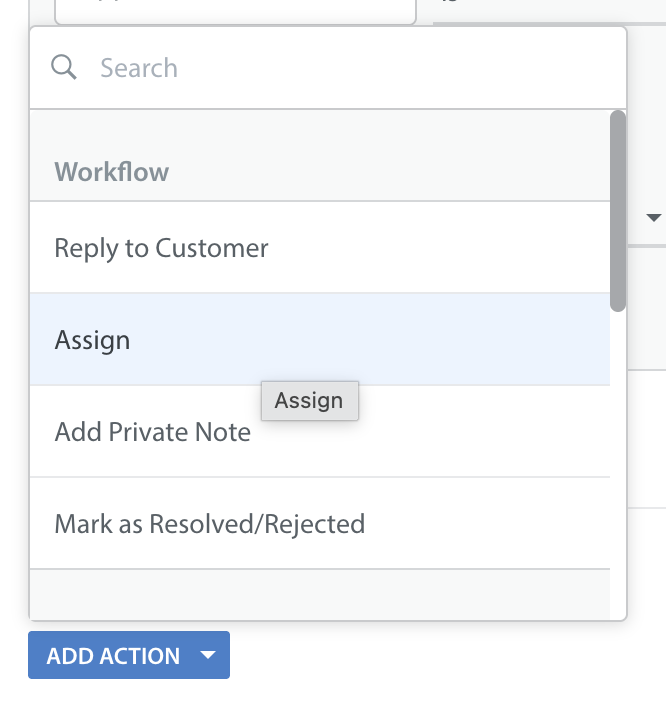
- Under the THEN actions, click Add Action and select Assign.
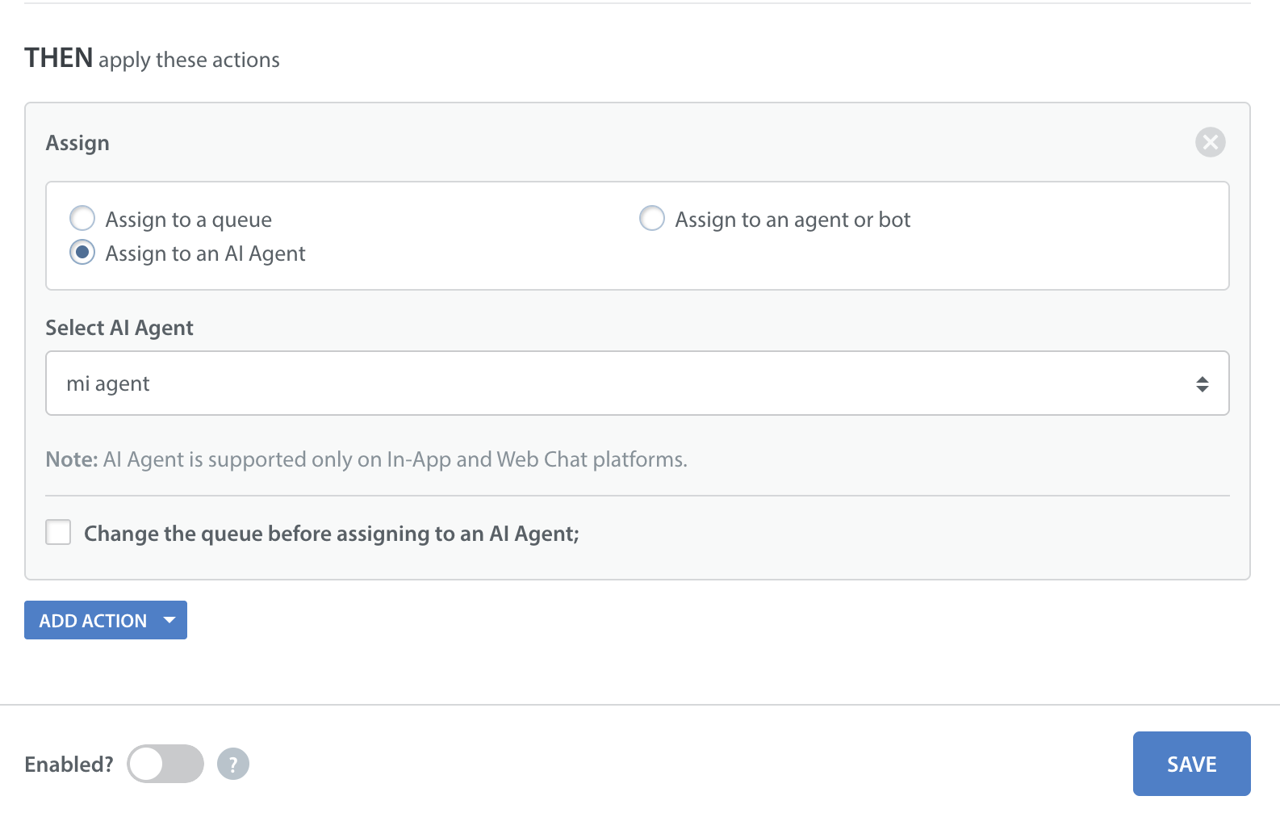
- Choose the Assign to an AI Agent radio button.
- Select the Care AI Agent you want from the dropdown menu.
Adding Care AI Agents via Bots
You can configure Custom Bots to hand off conversations to a Care AI Agent once the bot has gathered necessary information from the user. For existing and new Custom Bots, this assignment action is only available within the End Conversation flow.
To assign an issue to a Care AI Agent from a Custom Bot, follow these steps:
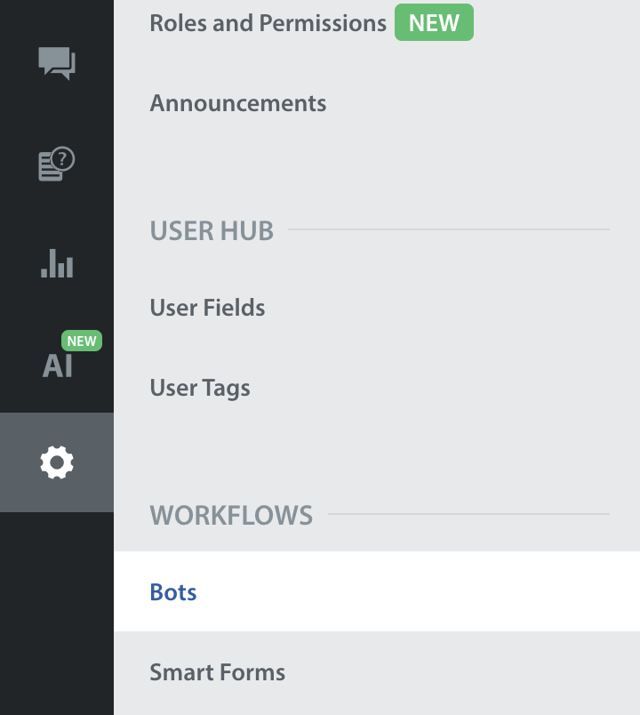
- Navigate to Settings.
- Under WORKFLOWS, click Bots.
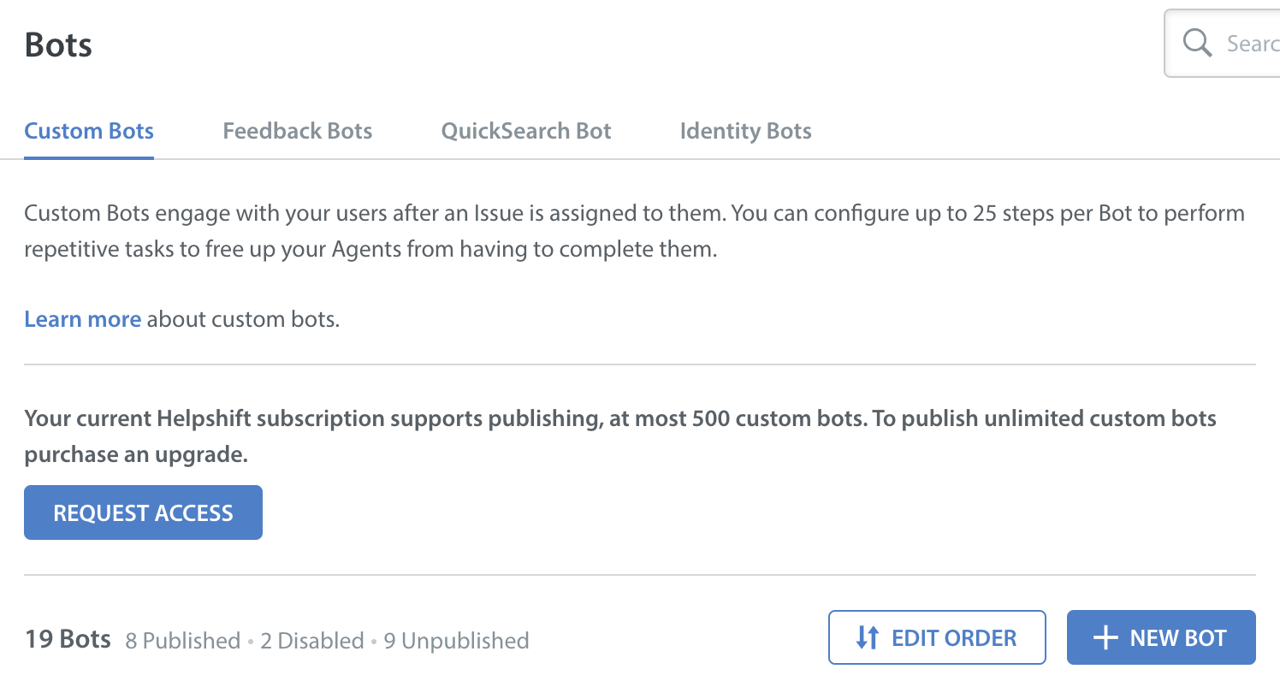
- Open an existing Custom Bot to edit, or create a New Bot.
- Click ADD FIRST STEP.
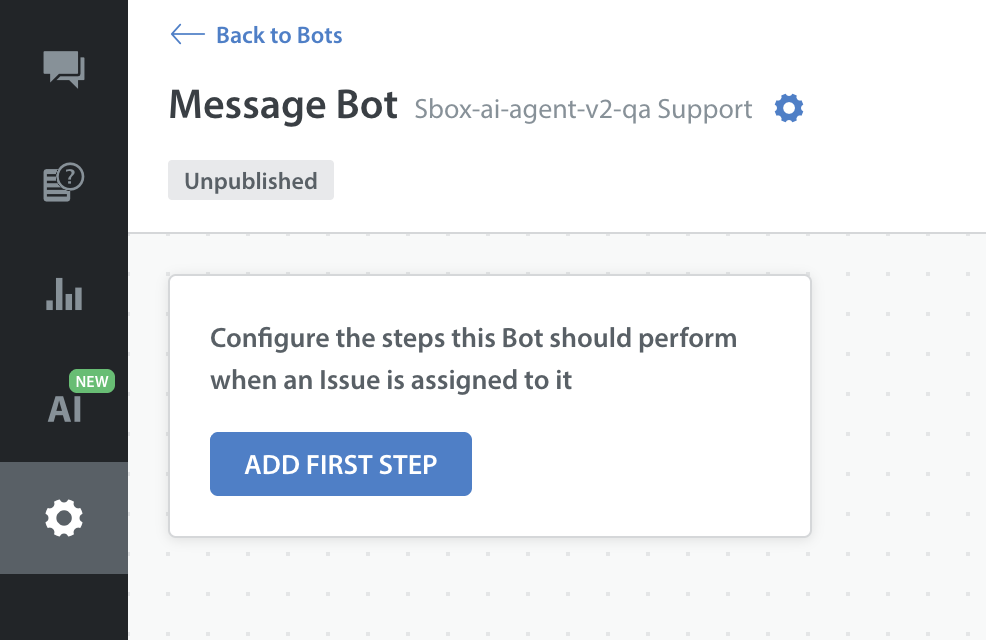
- Choose Send a Message as STEP 1.
- Select End Conversation Flow as STEP 2.
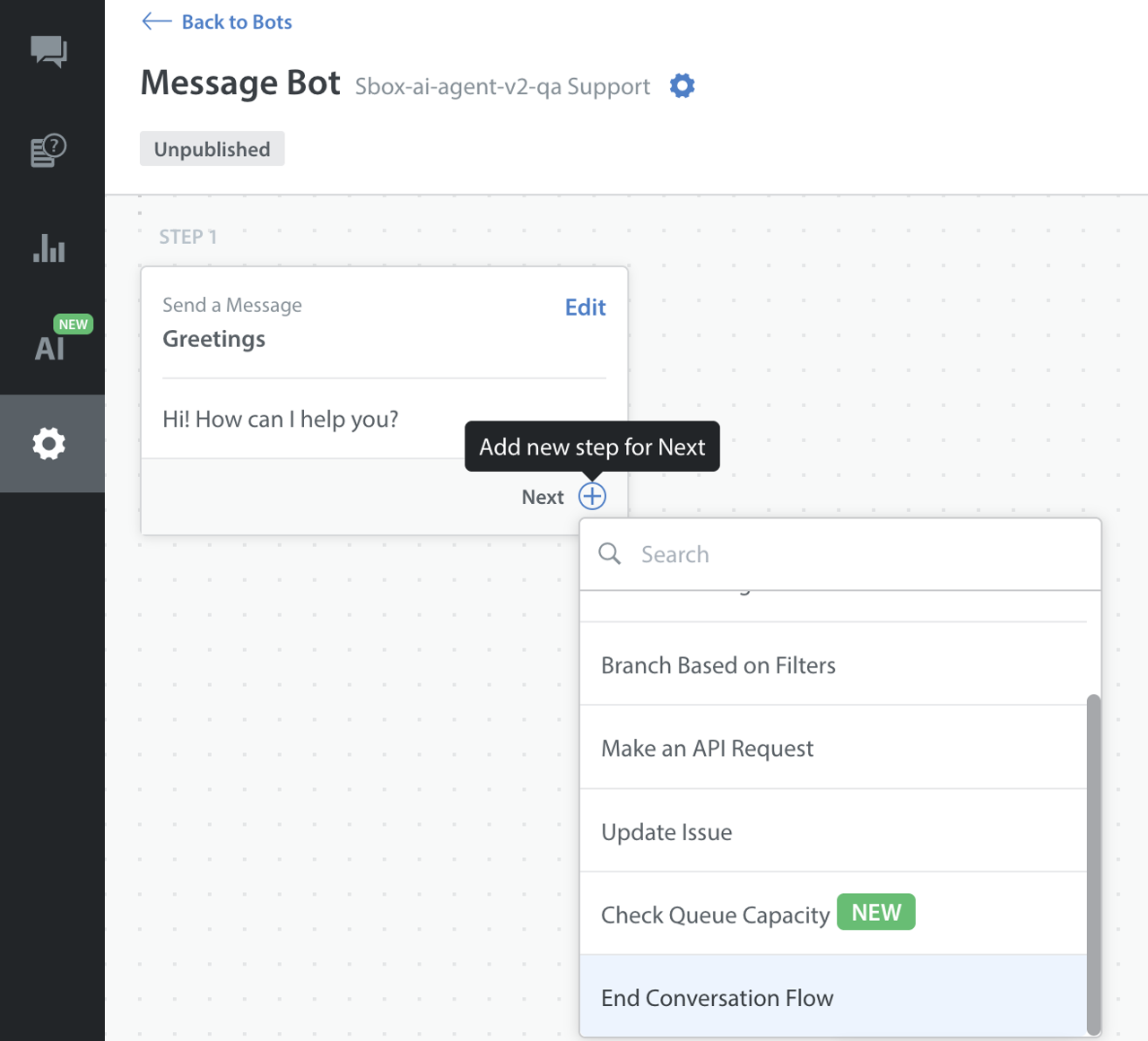
- After choosing the End Conversation Flow step.
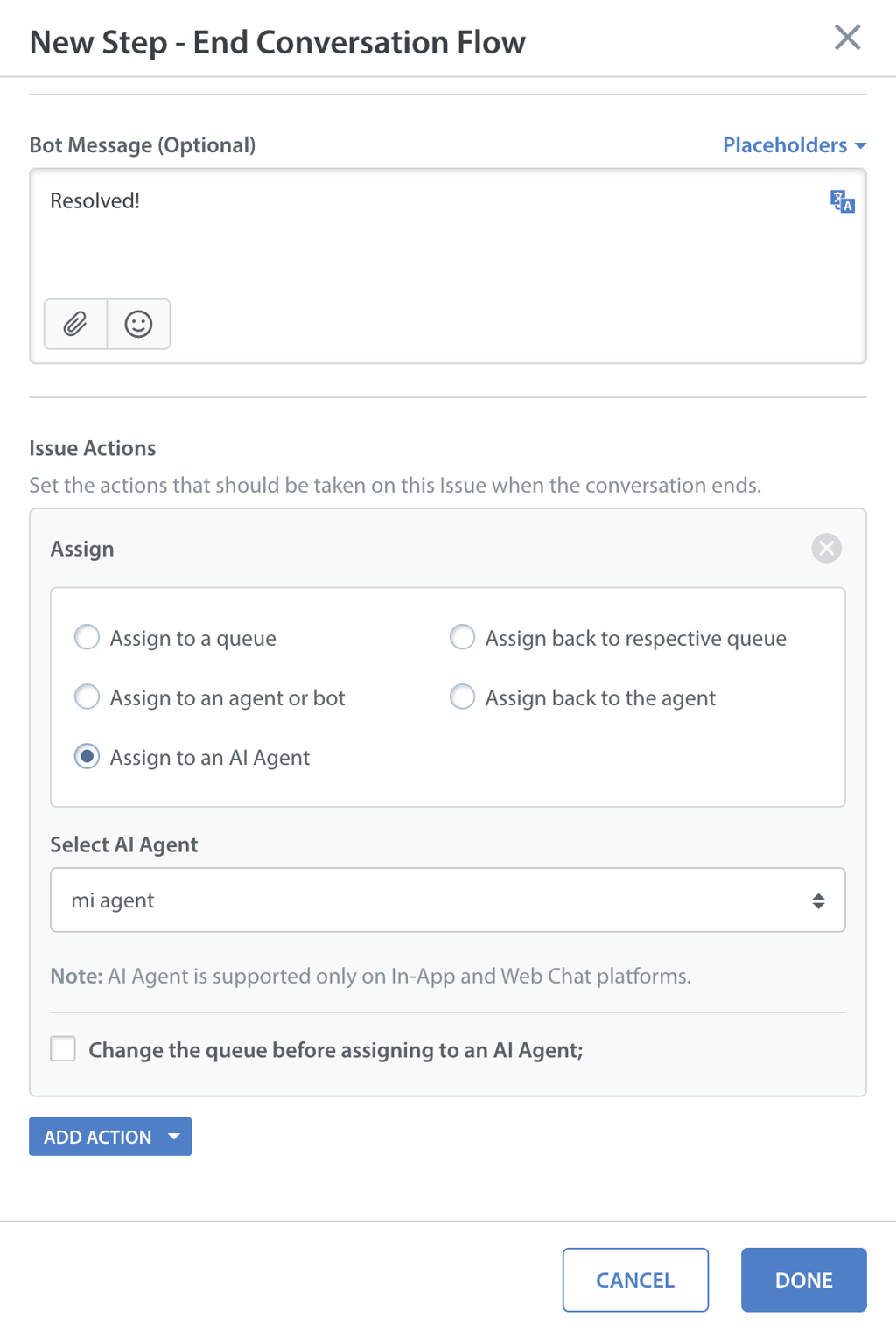
- Under Issue Actions, select Assign to an AI Agent.
- Select the Care AI Agent that you want.
- Click DONE.
Adding Care AI Agents via Issues
Agents and administrators can directly assign Issues to Care AI Agents from the Helpshift Dashboard.
From the Agent Chat Window:
- Open the specific Issue.
- Click on the Assignment dropdown at the bottom of the conversation view.
- Select the newly added Care AI Agents tab to view a list of all published Care AI Agents.
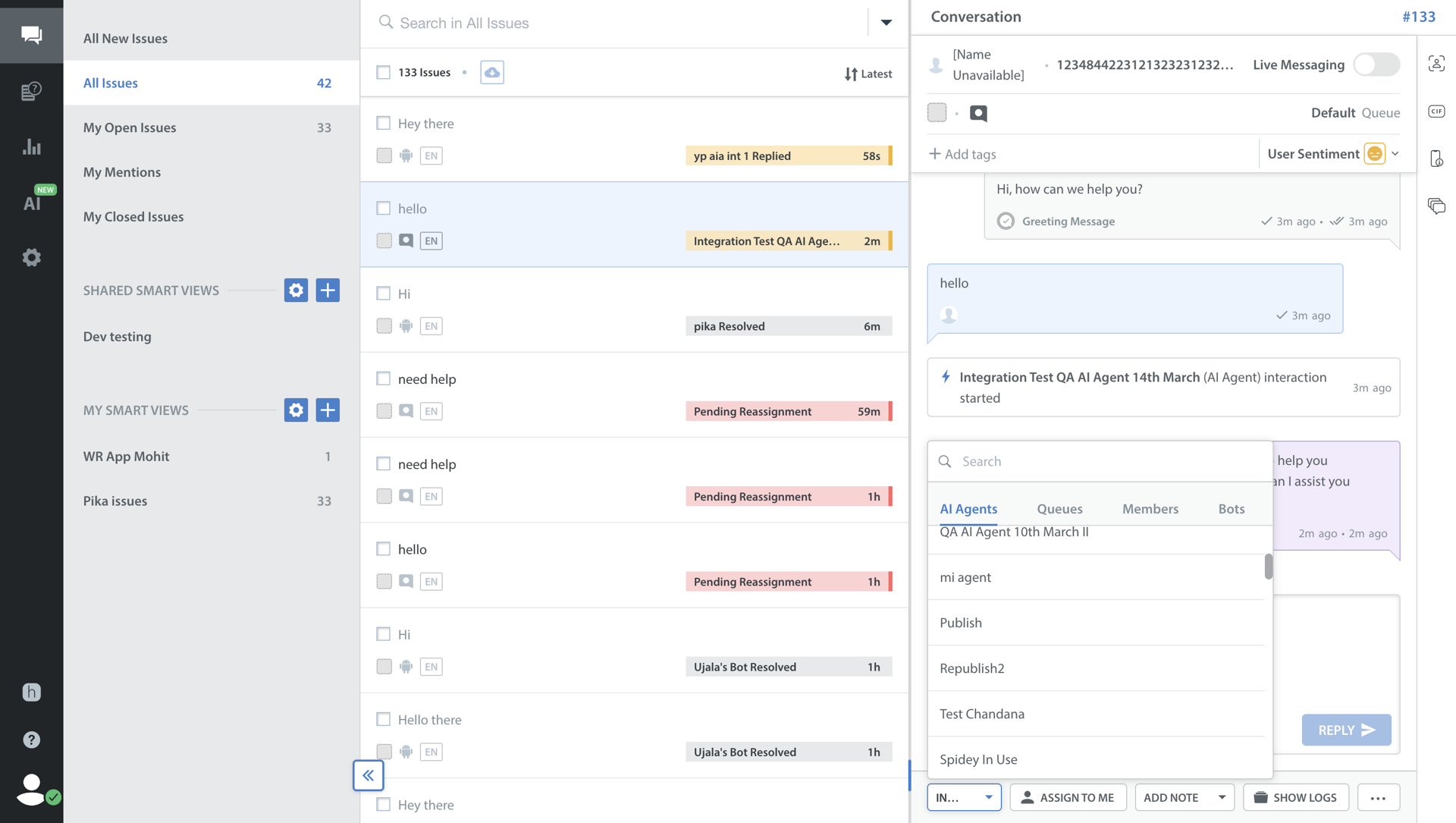
- Select the Care AI Agent you want to assign the conversation to.
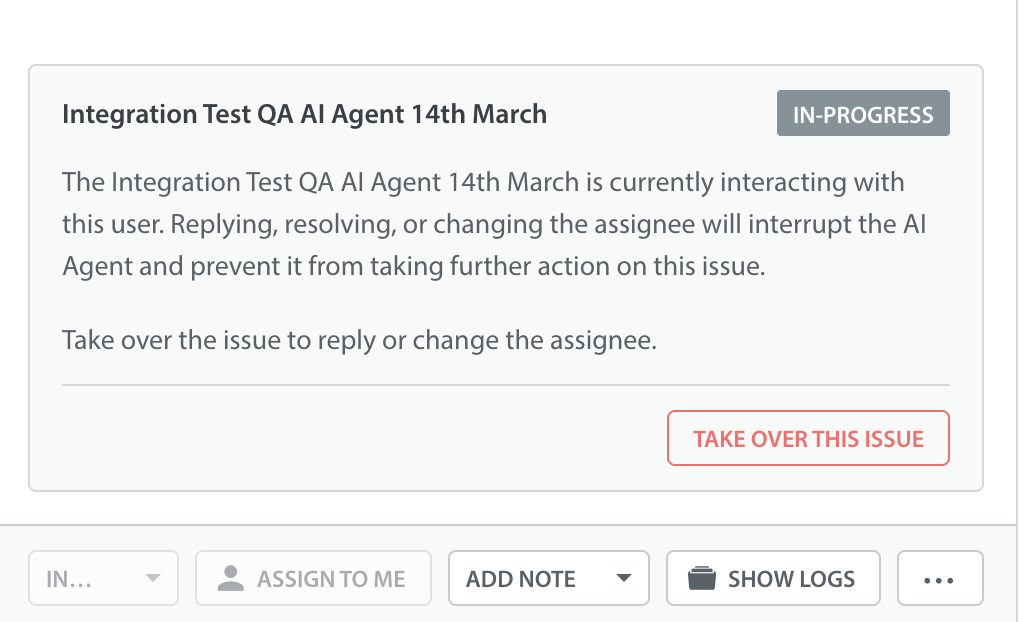
Note: If a Care AI Agent is actively interacting with a user, taking over the issue, or changing the assignee will interrupt the Care AI Agent.