When configuring and managing your Care AI Agents, you may occasionally run into configuration constraints, mapping issues, or system errors. This troubleshooting guide addresses the most common issues and outlines the expected system behaviors to help you resolve them quickly.
Care AI Agent Creation and Configuration Issues
| Issue | Solution |
| The "Configure Care AI Agent" button is disabled | Check whether all four mandatory fields (Name, Nickname, Avatar, and App) contain valid data. |
| Cannot create a new Care AI agent (Limit Reached or Name Error) | Verify two things:
- Ensure your domain has not reached the maximum limit of 100 Care AI agents.
- Ensure the internal name being used is unique at the app level, as the same name cannot be used for multiple agents.
|
| Cannot change the App associated with an existing Care AI Agent | This is expected behavior. The App field is never editable once the agent is created. Even if an agent is duplicated, the App field is locked as "Read-Only" to match the original agent. |
Knowledge Base & FAQ Mapping Issues
| Issue | Solution |
| Cannot select a specific file to map to the Care AI Agent | Mapping is restricted strictly to the Folder level; individual files cannot be selected. |
| The Care AI Agent isn't utilizing the newly added Knowledge Base documents | While changes to already mapped folders auto-sync, if a completely new folder is created in the Knowledge Base later on, it is not auto-linked to the agent. You should go in and manually map that specific new folder. Additionally, check whether the file is marked as 'deprecated', as the agent will ignore it even if it is in a mapped folder. |
| The Care AI Agent is using FAQs that we do not want it to access | Verify the FAQ configuration. You can explicitly list FAQ IDs to exclude from mapping so that the Care AI Agent will ignore them. |
Procedure Mapping Issues
| Issue | Solution |
| Specific procedures are missing from the mapping selection list | The list displays only procedures in the "testing" or "live" state for that specific app. Any procedures that are in a "draft" or "deprecated" state are intentionally hidden and cannot be mapped. |
Guardrails & Fallbacks Behavior
| Issue | Solution |
| Cannot add "whitelisting" exceptions to certain Guardrails | This is by design. While many guardrails (like Off-Topic, Hate Speech, or Dangerous Content) allow you to add whitelisting conditions, the Prompt Injection and Irrelevant Technical Content guardrails do not allow exceptions due to safety risks. |
Chat Simulator (Testing) Issues
| Issue | Solution |
| The Chat Simulator is losing the conversation history | This happens if you navigate away to another screen (even another module within Care AI agents). To keep the chat history, you must stay within the configuration sections of that specific Care AI agent. |
| The Chat Simulator is not reflecting the Live agent's behavior | The simulator explicitly loads and tests the Draft or Testing version of the configuration, not the Live version. Ensure you are testing the correct configuration state. |
System Errors & API Failures
| Issue | Solution |
Error message states “This configuration is outdated. Please refresh the page before publishing again” or “Backend Errors: API Failed.”
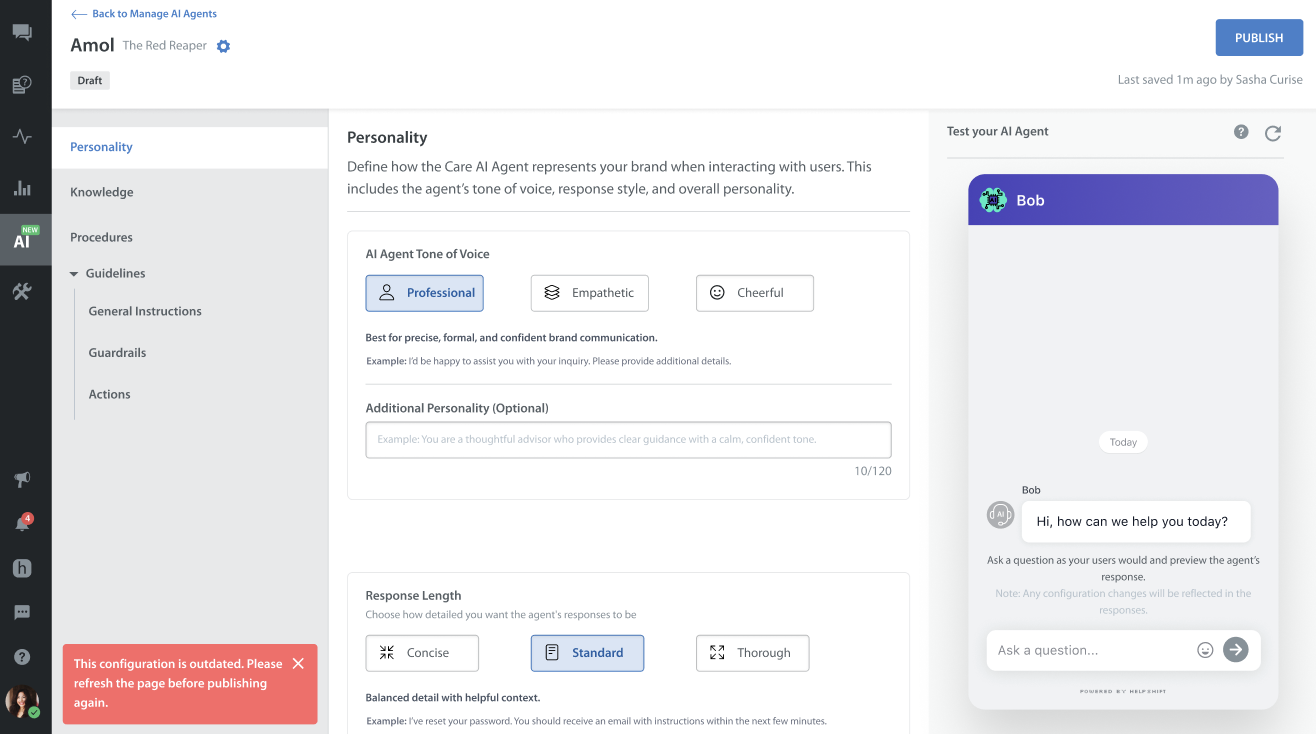 | If an unexpected error occurs, this message will appear. Once you refresh the page and the backend data is successfully synced, the error message will disappear, and you can continue configuring and publishing as intended. |
The Care AI Agent times out or displays an unavailability error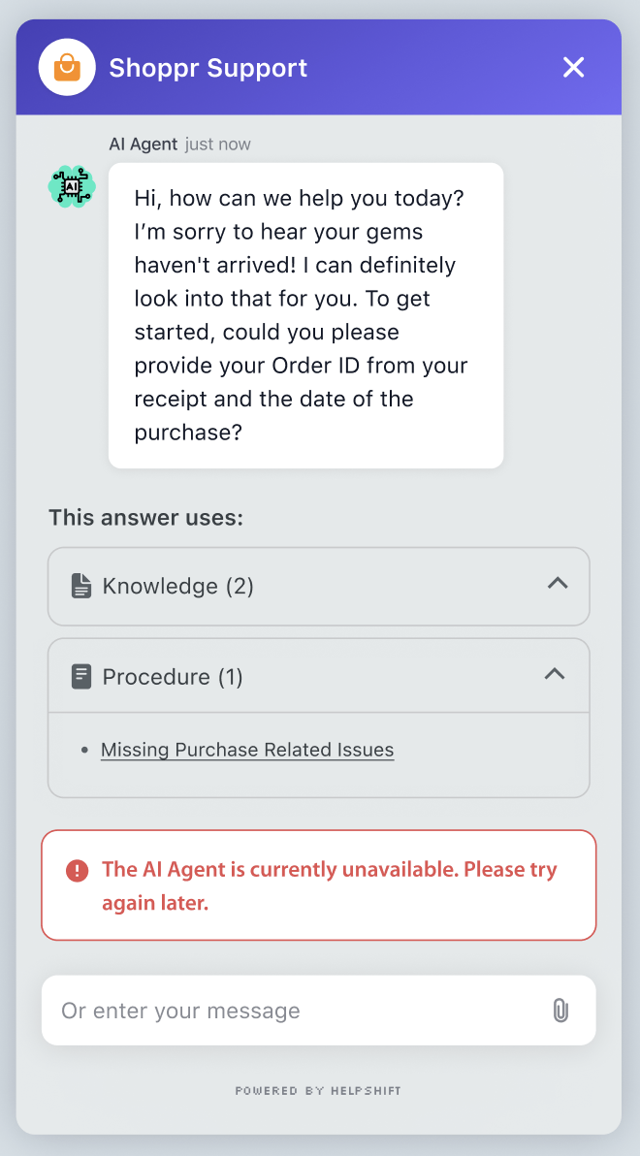 | If you encounter errors like “The Care AI Agent is currently unavailable. Please try again later.”, “An unexpected error occurred. Please try again.”, or “The Care AI Agent is taking too long to respond.” The primary solution is to refresh the page and try again after some time. If the issue continues, please raise a support ticket. |
