
Agents can choose the language they prefer to read and write messages in. When you click Translate, Language AI translates messages between agents and end users in the Helpshift dashboard.
Set your Default LAI Language
To configure the default language for Language AI, follow these steps:
- Log in to the Helpshift dashboard.
- Click your Profile > Account Settings & Privacy.
The Account Settings page appears.
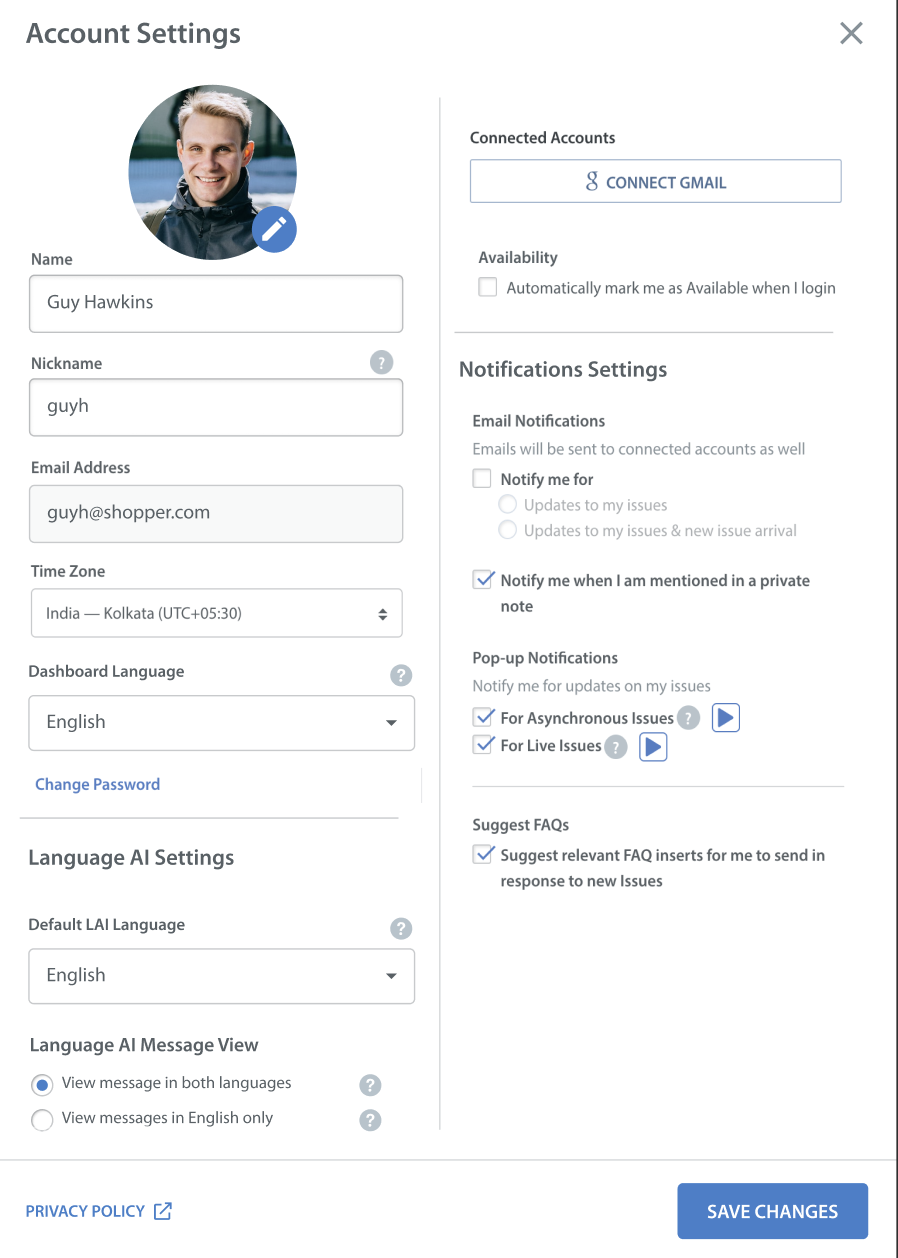
- Under Language AI Settings, select a Default LAI Language (Agent language).
- English
- Japanese
- Chinese (Traditional)
- Brazilian Portuguese
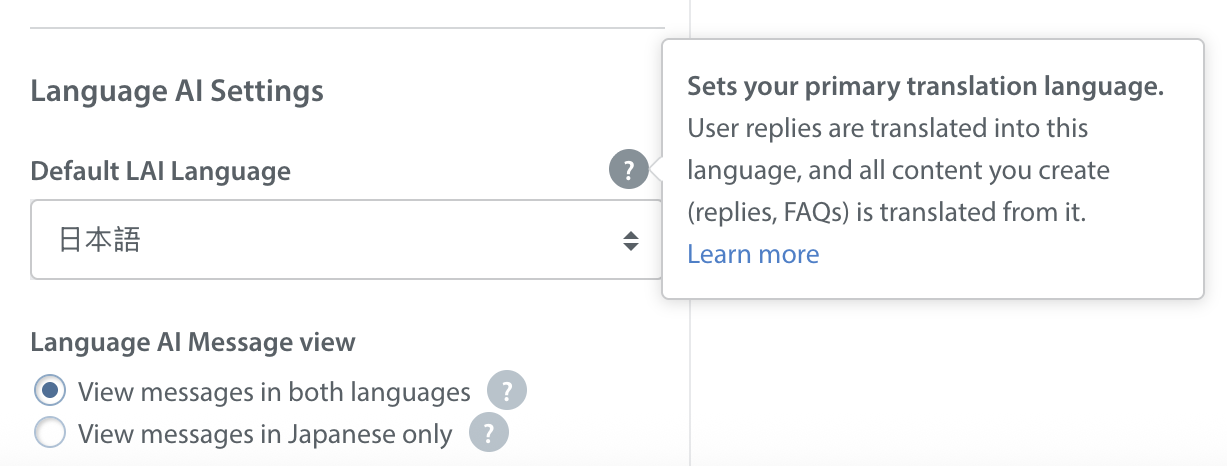
- Click SAVE CHANGES.
Note: The Default LAI Language is currently applied to Issue conversations, FAQs, and Text Templates.
Language AI in Issue Conversations
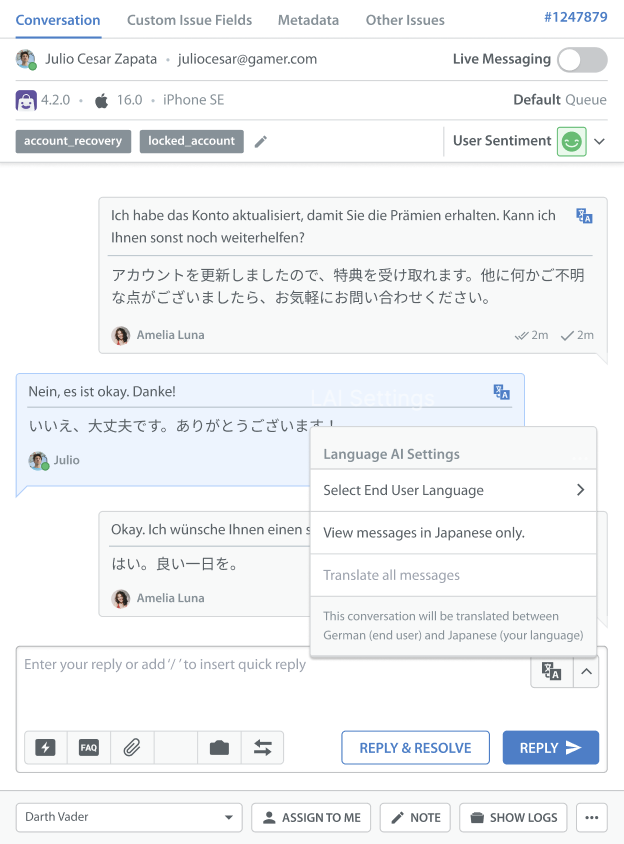
In Agent-User conversations, all message translations will be displayed within a specific issue. Conversation-level message view settings are temporary and reset based on the profile-level preference.
- Incoming user messages are translated from the end user’s language into the agent’s selected LAI language.
- Agents can type replies only in the selected LAI language. Outgoing messages are translated into the end user’s language when sent.
- Writing replies in a language other than the selected LAI language may affect translation accuracy.
- Translation output is limited to supported LAI languages only.
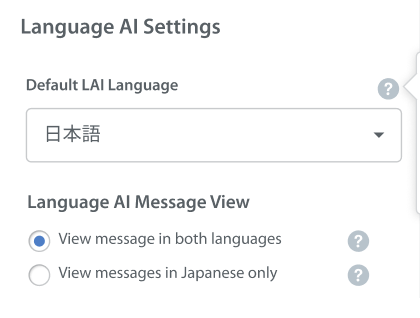
- From Account Setting -> Language AI Settings → Langaue AI Message View, you can choose how translated messages appear in conversations:
- View message in both languages - Shows the original and translated versions of the message.
- View messages in English only - Shows translated message only.
Language AI in FAQs
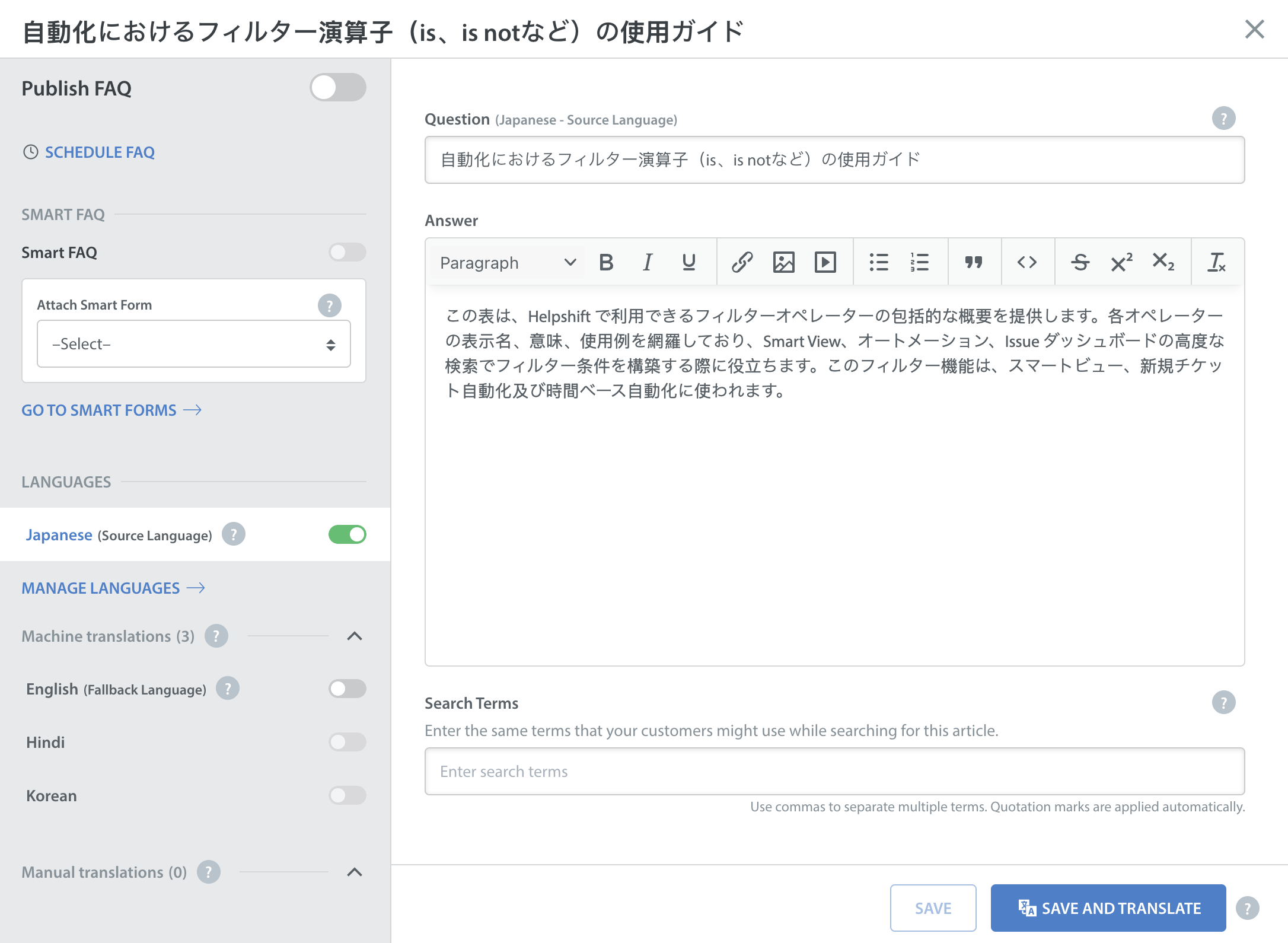
Now you can create FAQs in source language, in addition to English, set by you as Default LAI Language in the Account Settings. This language content will used to generate machine translation in App supported languages.
- If a translation is unavailable in the end-user's language, then English FAQ content will be shown to end-user. English is permanent fallback language for Helpshift which cannot be changed.
- End-user can access FAQs in their preferred language when a translation exist.
Language AI in Text Templates
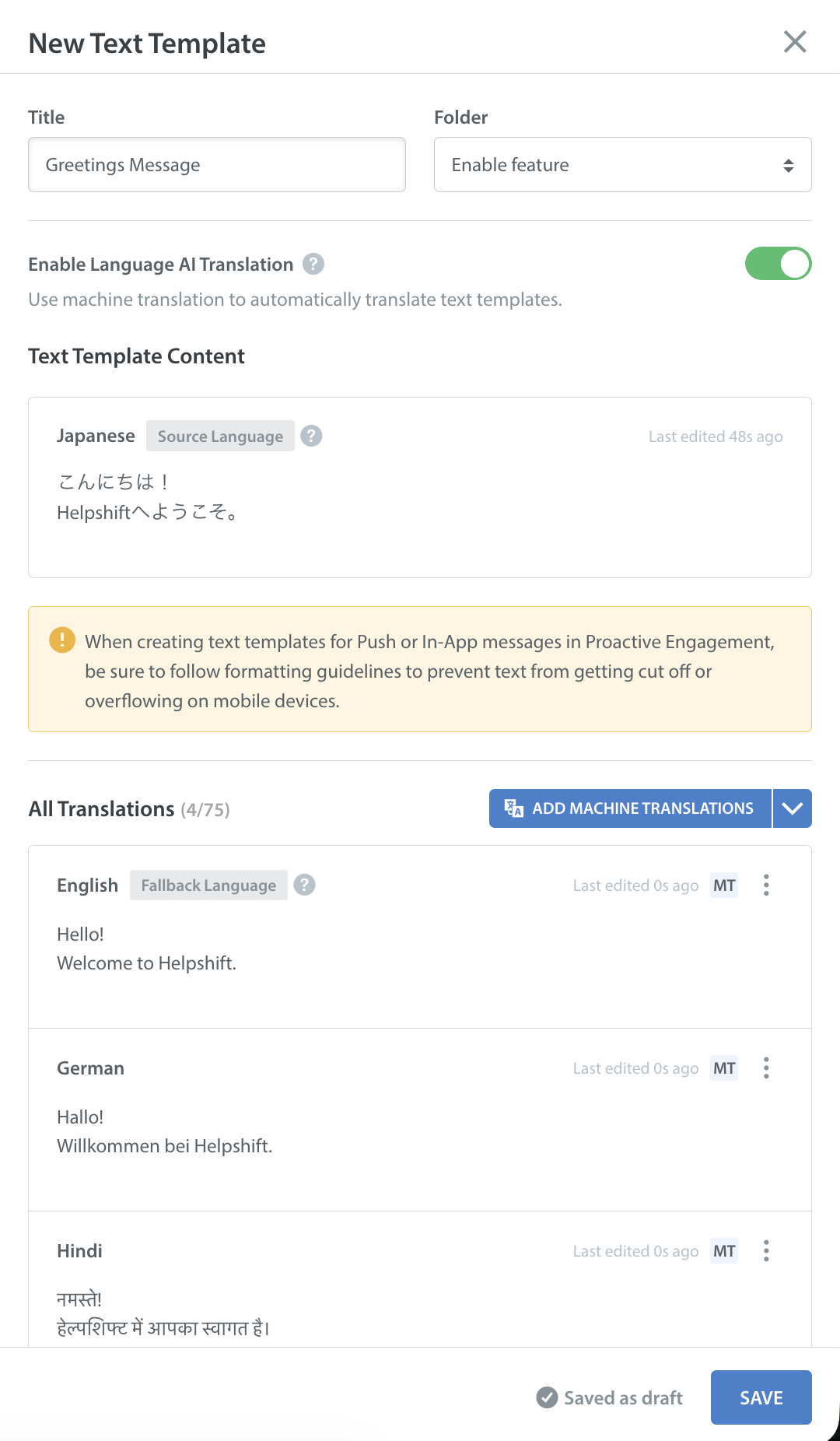
You can create and edit Text Templates using the source language, in addition to English. This enhancement allows teams to author standardised responses and text templates natively in supported source languages, ensuring improved experience for agents and users.
How it works:
- Helpshift Dashboard operators can set their preferred Default LAI language from Account Setting -> Language AI Settings and this language will be readily available to author text template.
- Text templates continue to be available for automation, standard replies, and any workflows that use Text Templates.
- All Text Templates Content authored in non-English languages will be translated into supported LAI languages only, just like those authored in English.
Notes:
Writing templates or replies in a language other than your selected LAI language may affect translation accuracy.
Agents must compose templates and replies in the selected LAI language. Outgoing template-based messages will be translated automatically into the end user's language.