Description
The issue-wise Action log API shares the issue related action history with following details such as Action , Action owner, timestamp, data updates. It enables admins and customer service leaders to analyze issue journeys, manage escalations, and audit agent performance, offering a precise view of agent actions and issue lifecycles.
Endpoint:
https://api.helpshift.com/v2/<domain>/issues/<issue-id>/_audit_logs
Method : Get
Path Variables:
| Variable | Description | Example |
| <domain> | Domain name | amazon |
| <issue-id> | Publish ID of the issue for which we want to fetch the audit logs | 3423 |
For example, the URL should look something like:
https://api.helpshift.com/v2/amazon/issues/3423/_audit_logs
Request Params:
| Param | Description | Required? | Example |
| sort_order | A string value. This parameter specifies the sorting order by action_taken_at timestamp. Valid values are “asc” and “desc” (ascending and descending). If not specified, the default is descending. | No | “asc“ |
| actions | Json array of strings. This parameter specifies the actions that took place on the issue. If this param is passed, the response would contain the logs of only those actions. By default, it would include logs of all actions. List of possible actions mentioned here. | No | create-issue,add-tags |
| since | Unix timestamp in milliseconds. This parameter specifies the time at which the action took place, since which, audit logs should be retrieved for the issue. | No | 1754768308863 |
| until | Unix timestamp in milliseconds. This parameter specifies the time at which the action took place, until which, audit logs should be retrieved for the issue. | No | 1754868308000 |
| page | An integer value indicating the page number being requested. To be used for pagination. | No | 3 |
| page_size | The maximum number of results to return per page. Value can be between 1 and 500. If nothing is passed or something out of the above range is passed, the default which is 200 would be used as the page_size. | No | 50 |
Response:
| Field | Description |
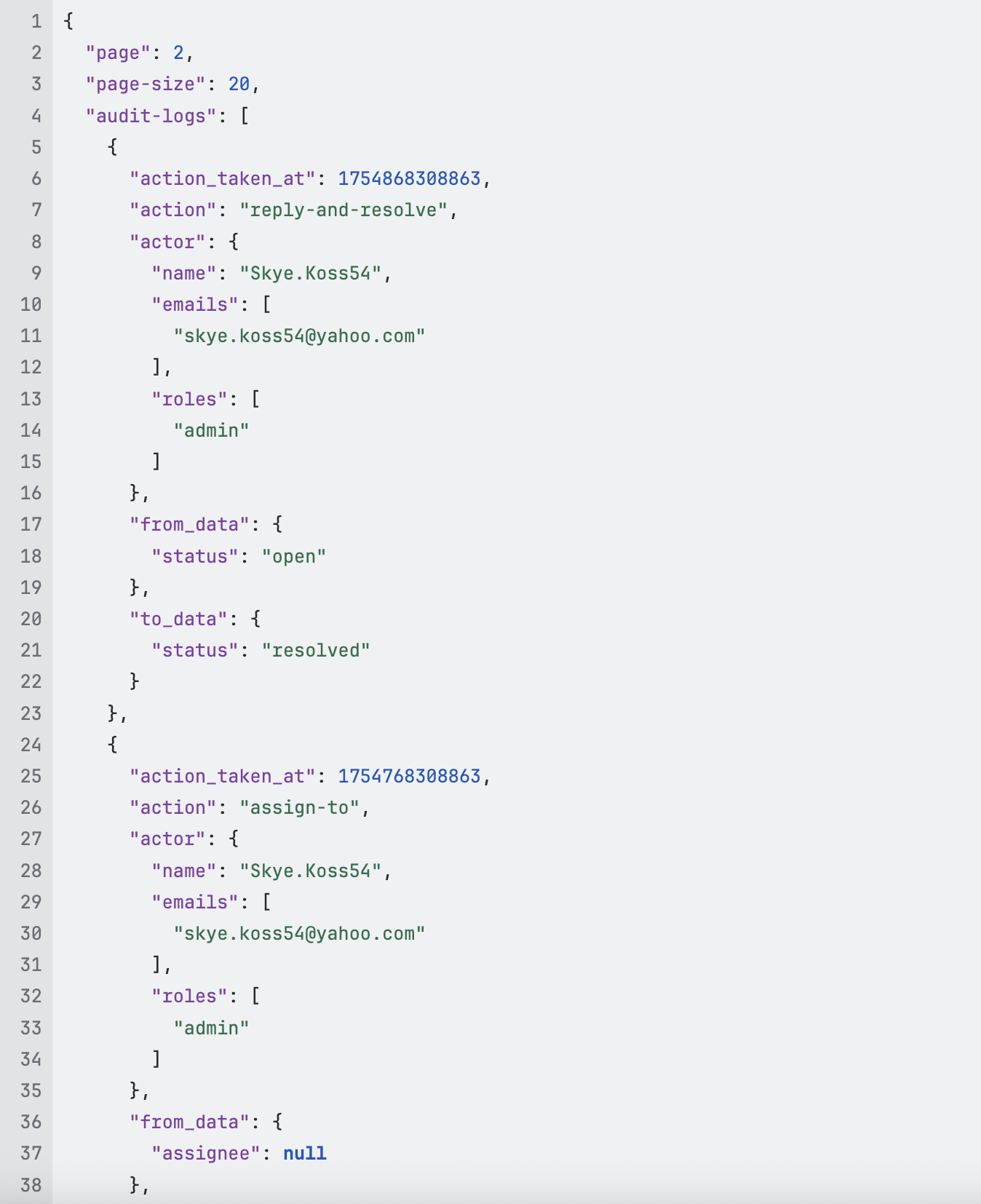
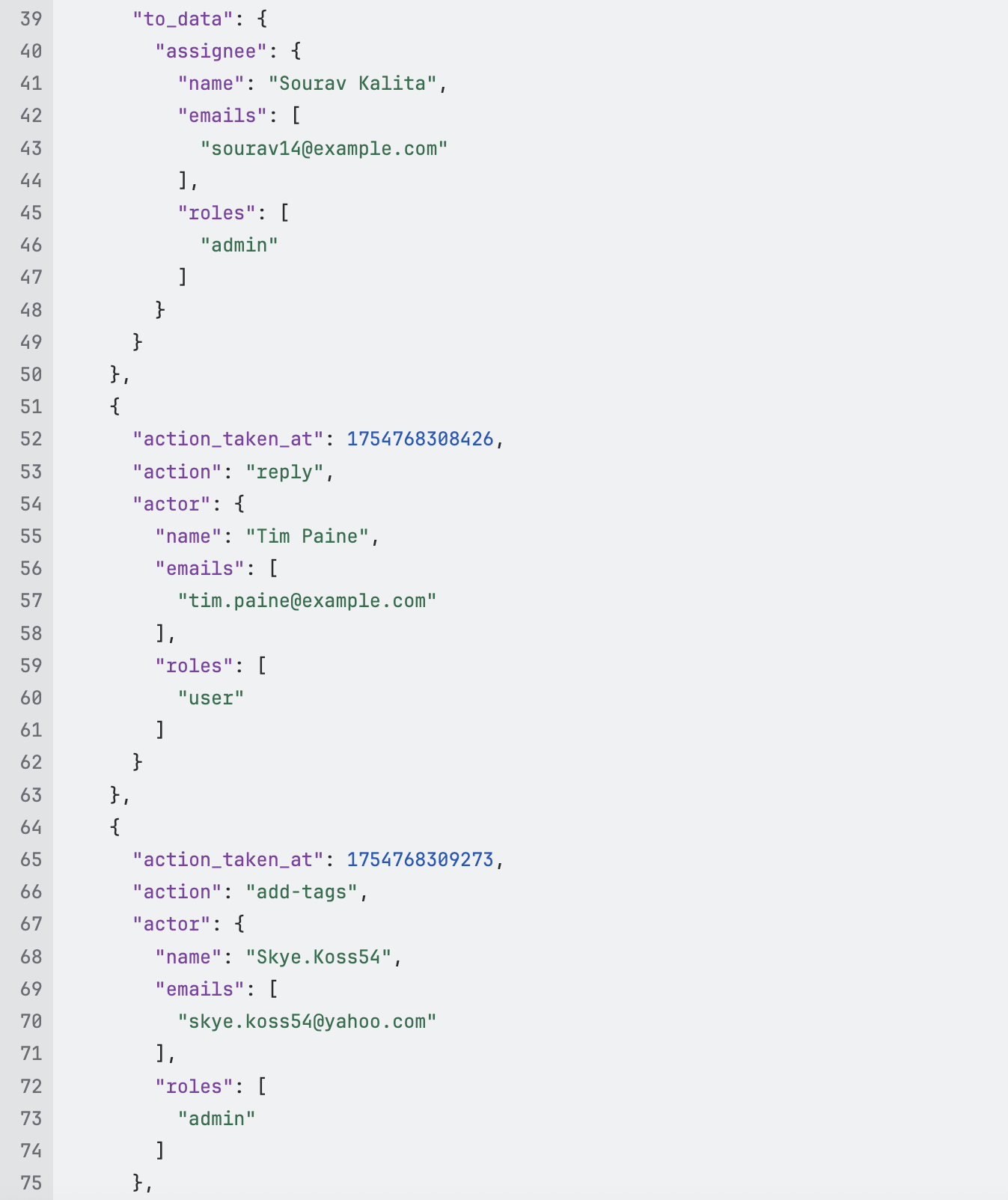
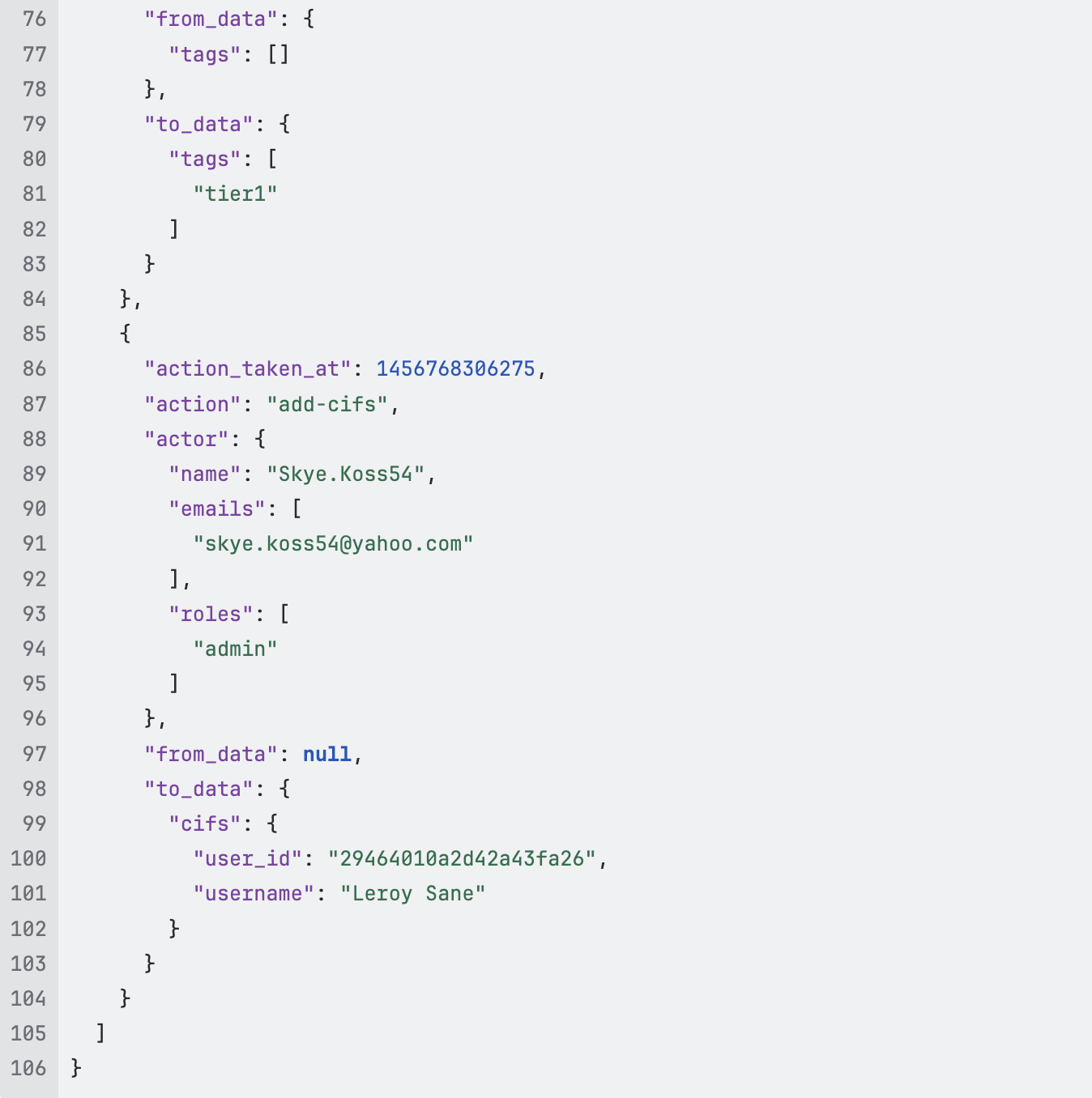
| action_taken_at | Timestamp of when the action took place |
| action | What action took place. Ex: create-issue, add-tags, resolve etc. |
| actor | Identifies who performed the action. This is represented as a JSON object containing the actor’s name, email, and roles. If the actor is an end-user, a uid field may also be included (when available). Note: For end-users, the name, email, or uid fields might be absent depending on the available data. |
| from_data | The state of object before the action took place |
| to_data | The state of object after the action took place |
Sample Response: