
To create a mailto link, proceed as follows:
- Open the FAQ details page by clicking on the FAQ within the list of FAQs.
- Click the ‘Edit’ button to open the FAQ Editor.

- From within the text box, highlight the text you want to hyperlink.
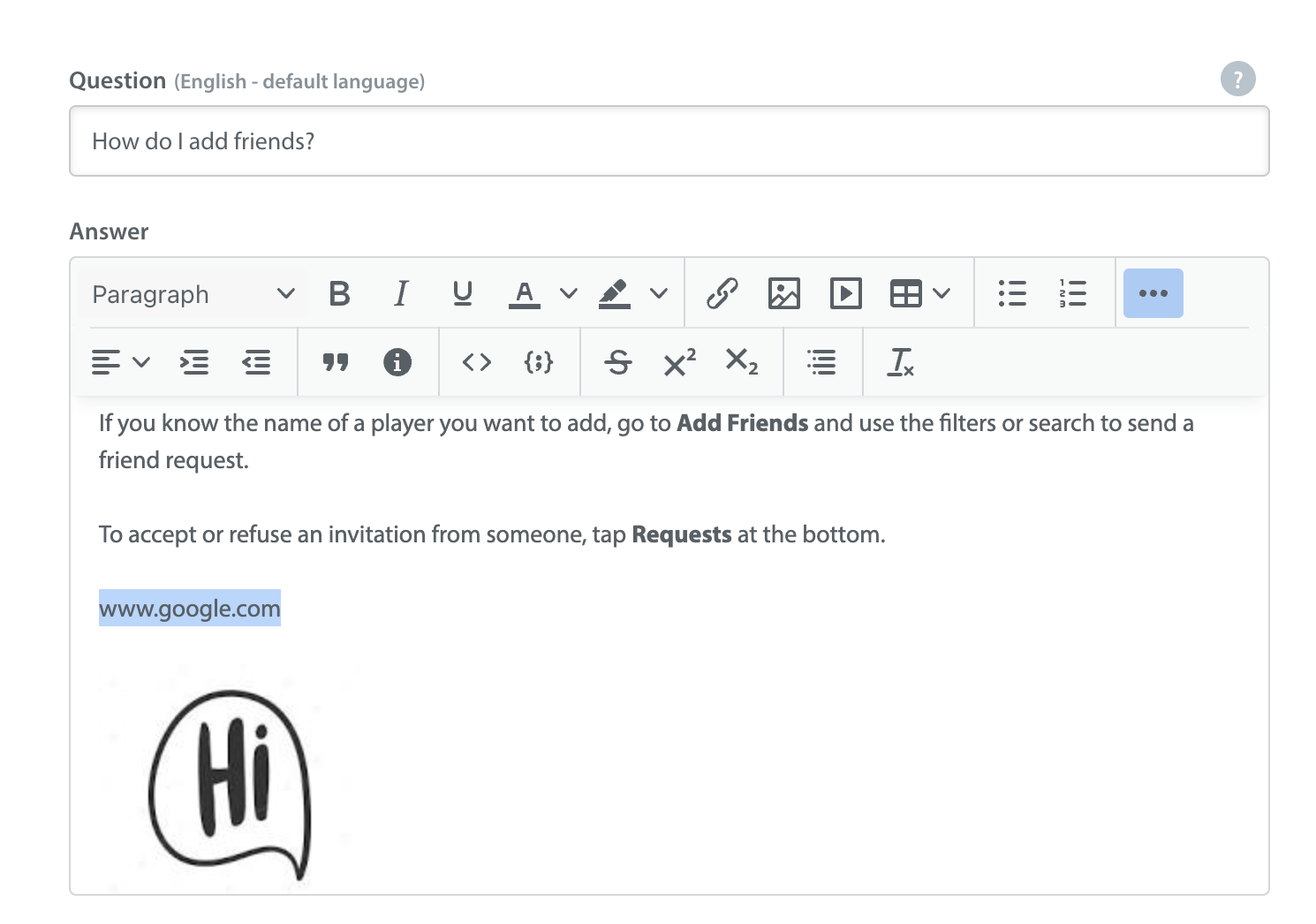
- Click the hyperlink icon
 in the text editor toolbar.
- A pop-up will appear prompting you to enter the URL for the link to point to. Enter mailto:”name@emailaddress.com” changing the email address to the one you’d like this forwarded to.
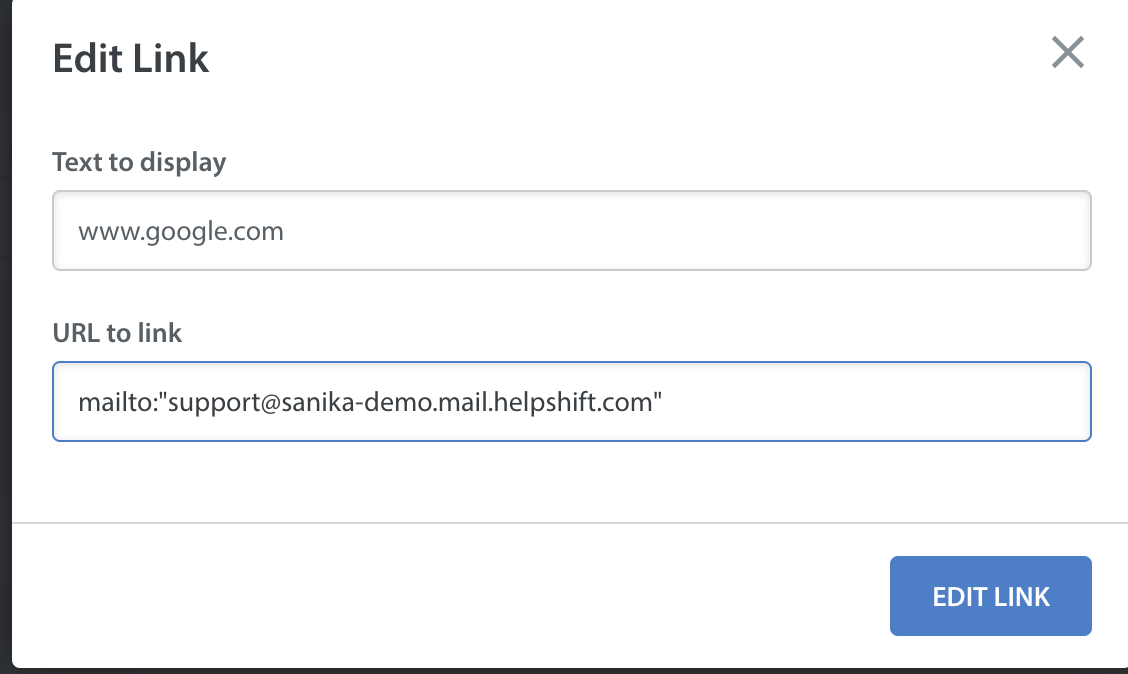
- Once you click ‘Insert Link’ and save the FAQ, it will become a mailto link.