Introduction
Helpshift is introducing support for 2-way SSL, also known as mutual TLS (mTLS), to strengthen security for External API Requests. This enables secure authentication and encrypted communication using certificate-based validation. The solution includes secure certificate storage, runtime access, and seamless rotation without downtime. Together, these enhancements ensure enterprise-grade, reliable API integrations.
Setting up and Enabling SSL Authentication
To set up and enable SSL Authentication, there is a two-step process:
Upload SSL Certificate
- Log in to your Helpshift domain as an administrator.
- On the Helpshift toolbar, click Settings.
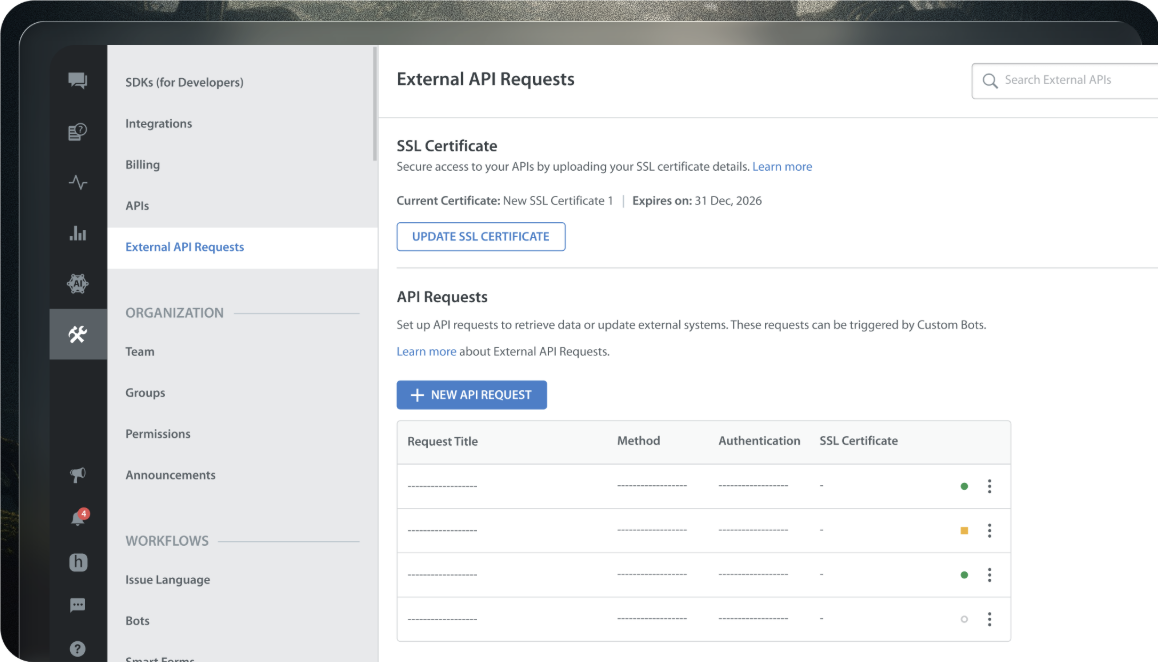
- Select the External API Requests option from the Settings page.
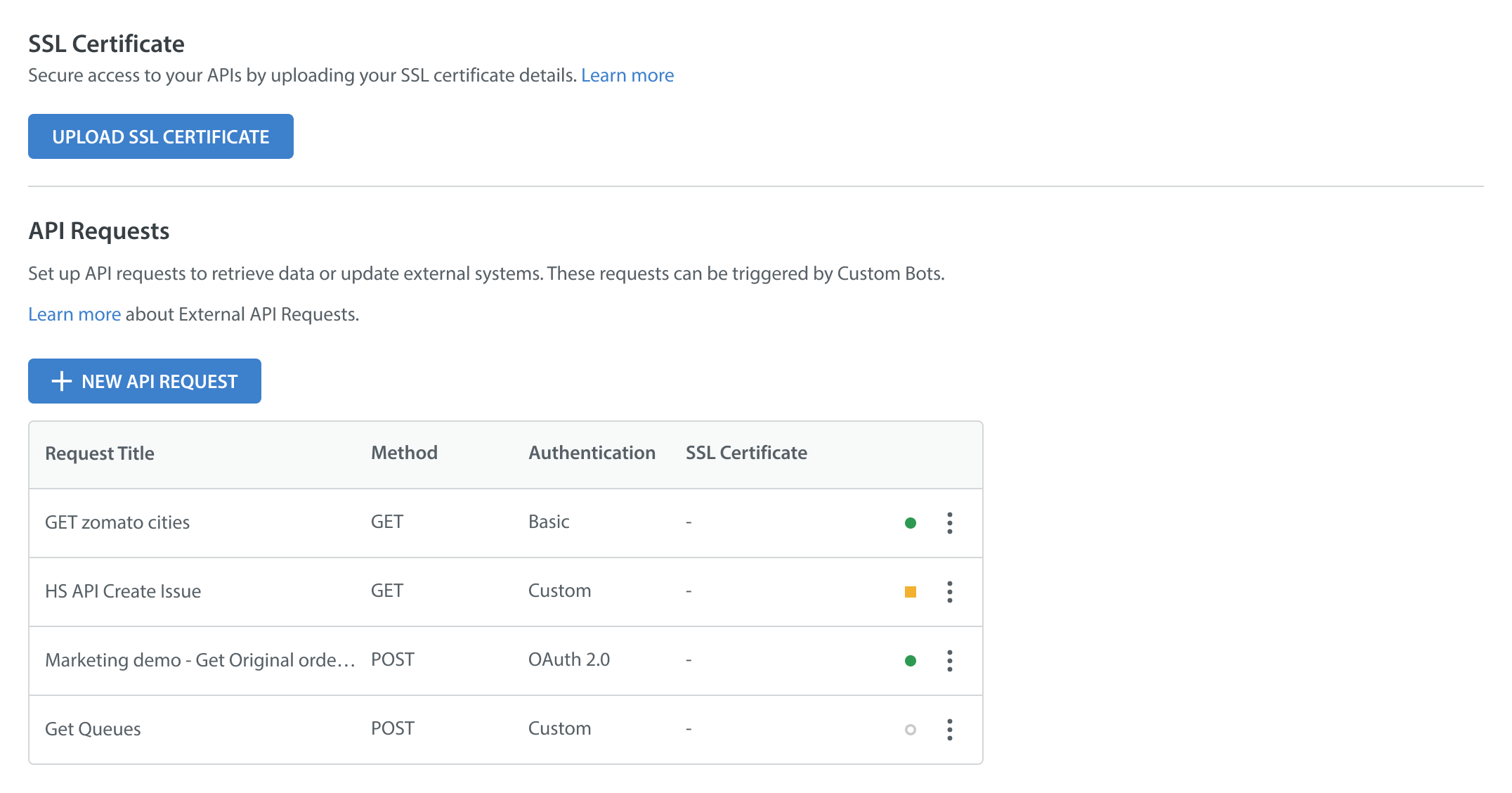
- Click on UPLOAD SSL CERTIFICATE.
The Update SSL Certificate pop-up appears.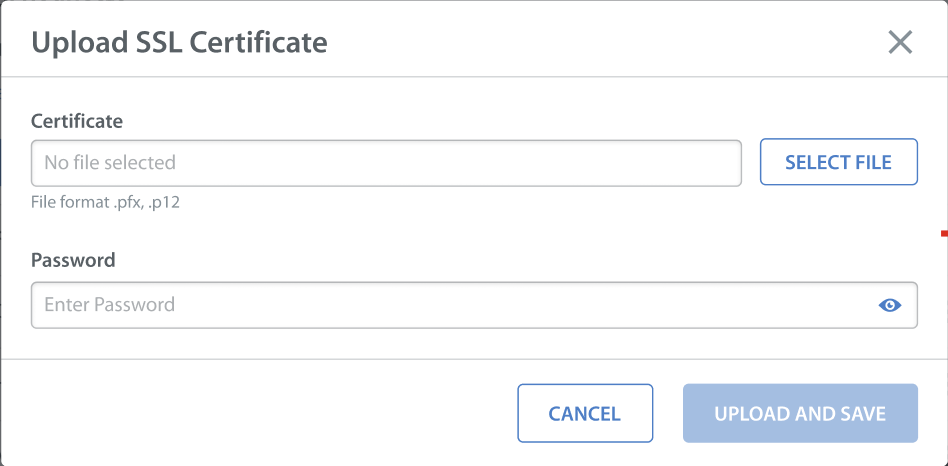
- To upload the SSL Certificate, click on SELECT FILE next to the certificate field.
Note: The system supports two certificate formats, .pfx and .p12.
- Enter the password in the password field.
- Click UPLOAD AND SAVE.
The success message will appear in the bottom-left corner. And the certificate details, including the Name and Expiry date at the top.
Enable SSL Authentication
Note: You cannot enable SSL authentication without uploading an SSL certificate.
After successfully uploading the SSL certificate, you need to enable SSL Authentication. The SSL certificate is set at the domain level, meaning the same certificate is used for all authentications (Basic, Custom, and OAuth).
To enable SSL authentication, users need to tick the Enable SSL authentication checkbox when creating a new API request. To create a new API request, follow the steps given in this KB article.
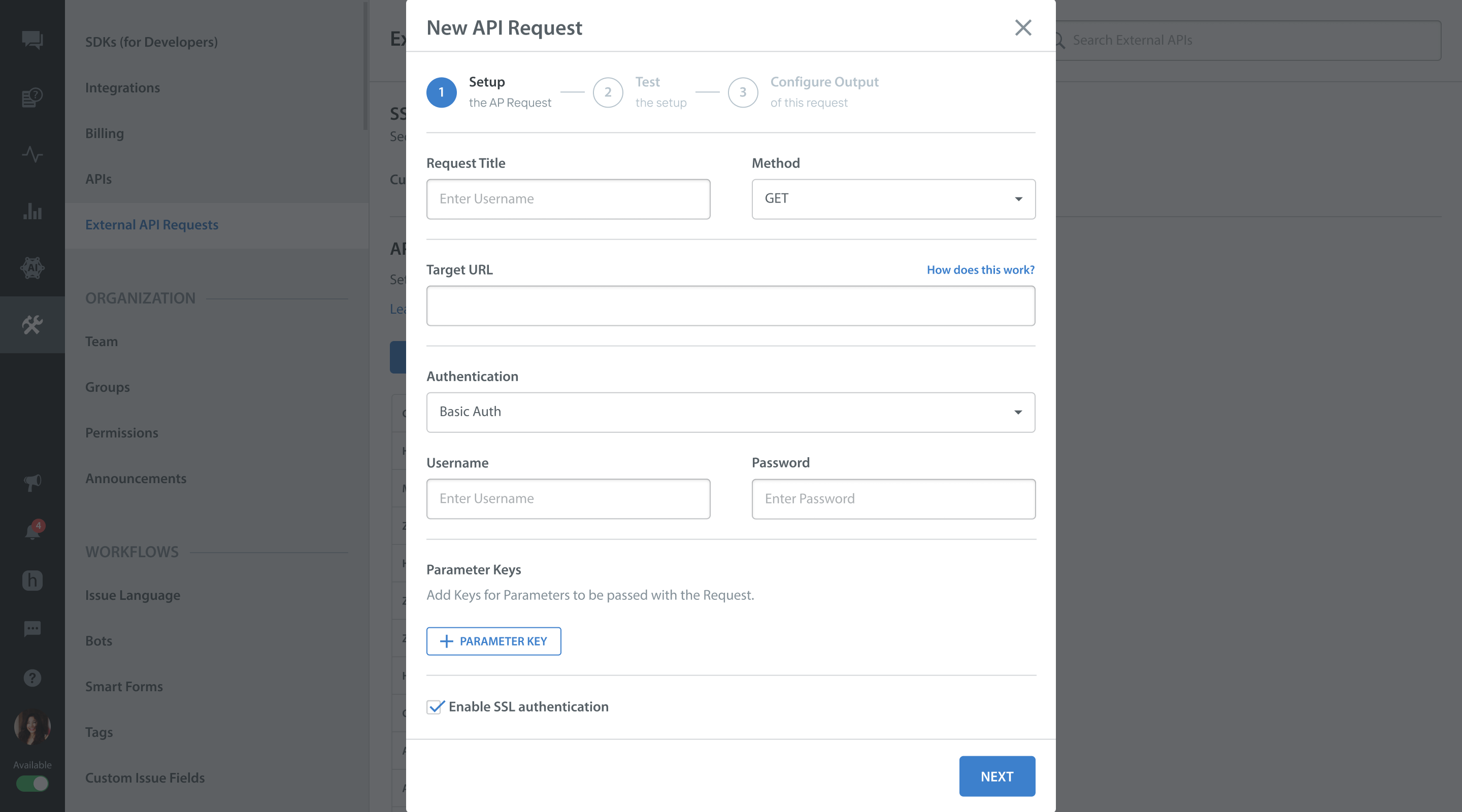
Notes:
- If no certificate has been uploaded, or if the existing one is expired, the checkbox will be greyed out, prompting the user to upload an active certificate.
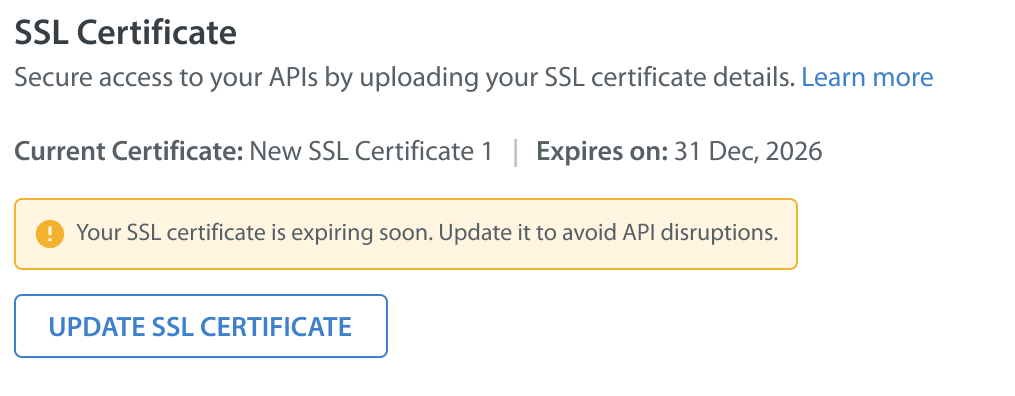
- A yellow alert will appear seven days before certificate expiry, and administrators will receive an email notification to ensure uninterrupted security.
Custom Roles having External API Request access will also receive the notifications.